Level design projects
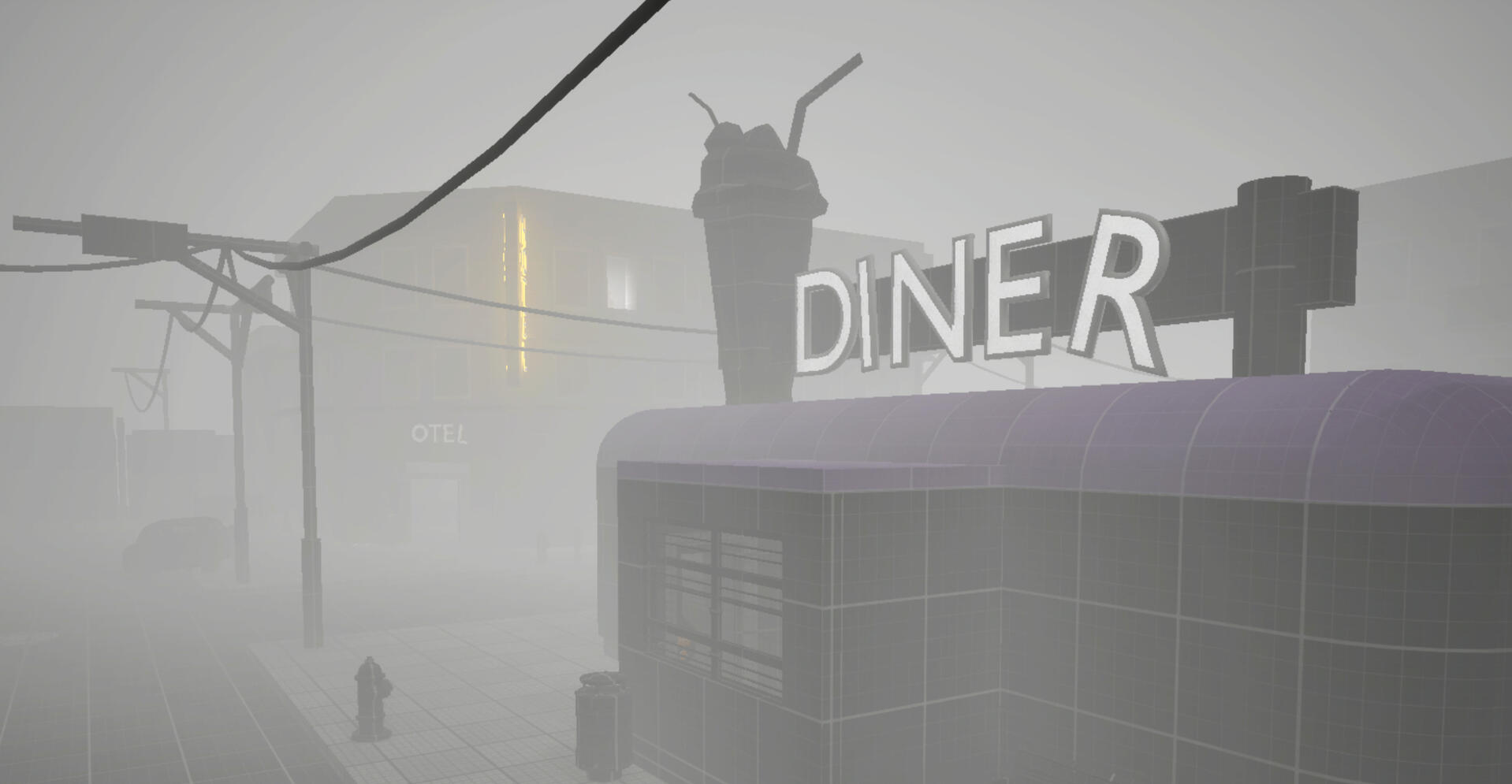
Silent Streets
Step by step process
Make your way through the foggy streets of the town and reach the Eastside Hotel. Level inspired by Silent Hill 2 Remake.
TBA
Step by step process
Lorem ipsum dolor sit amet, consectetur adipiscing elit. In tristique elit tellus, vitae ultrices quam convallis ac. Fusce non lacinia neque, nec fermentum purus.
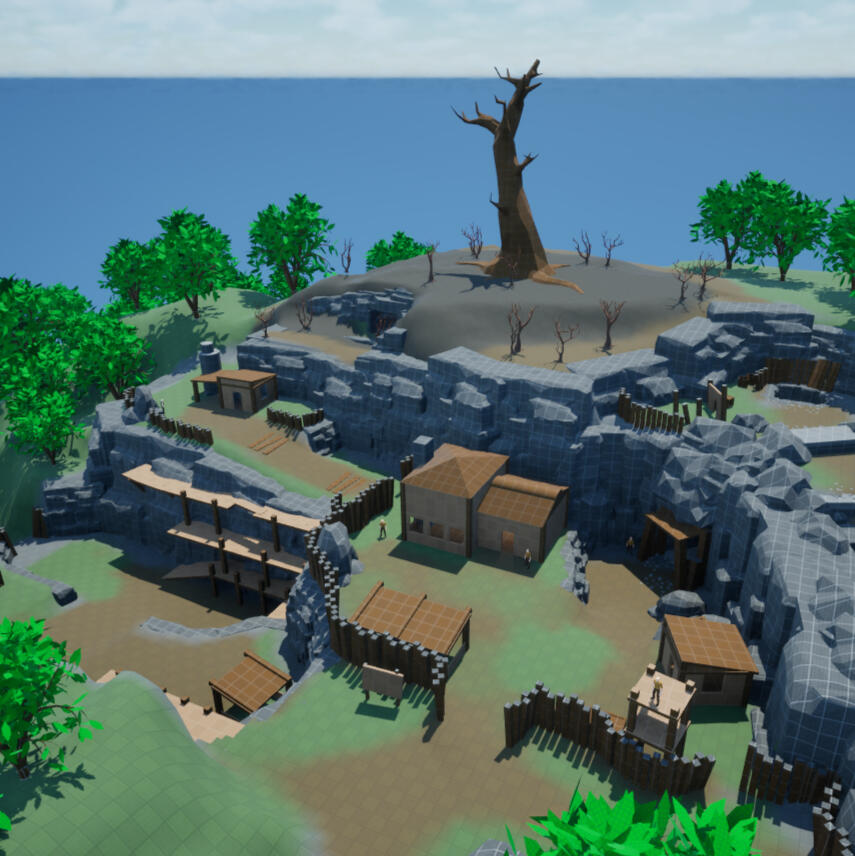
Cursed Mine Camp
Blockout
Mine Camp started as a small outpost for workers reopening an old quarry. Something they uncovered below released a curse.
silent streets
Unreal Engine 5 with AGLS
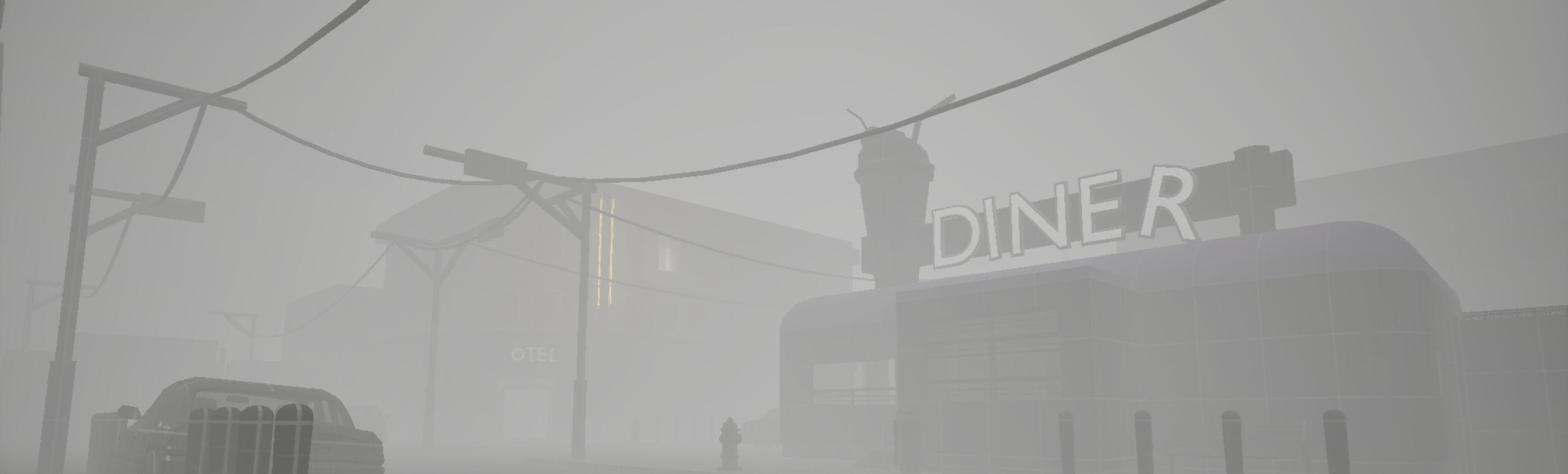
Silent Streets is a level directly inspired by Silent Hill 2 Remake. Creating this location brought me a lot of joy, satisfaction, and valuable experience.The whole process might feel unusual to some of you, but it doesn’t look the same in every scenario. I approach each project individually, guided by my intuition, so let’s go through it together!But first, take a moment to watch the walktrough of the finished level!
Finished Piece and Walktrough
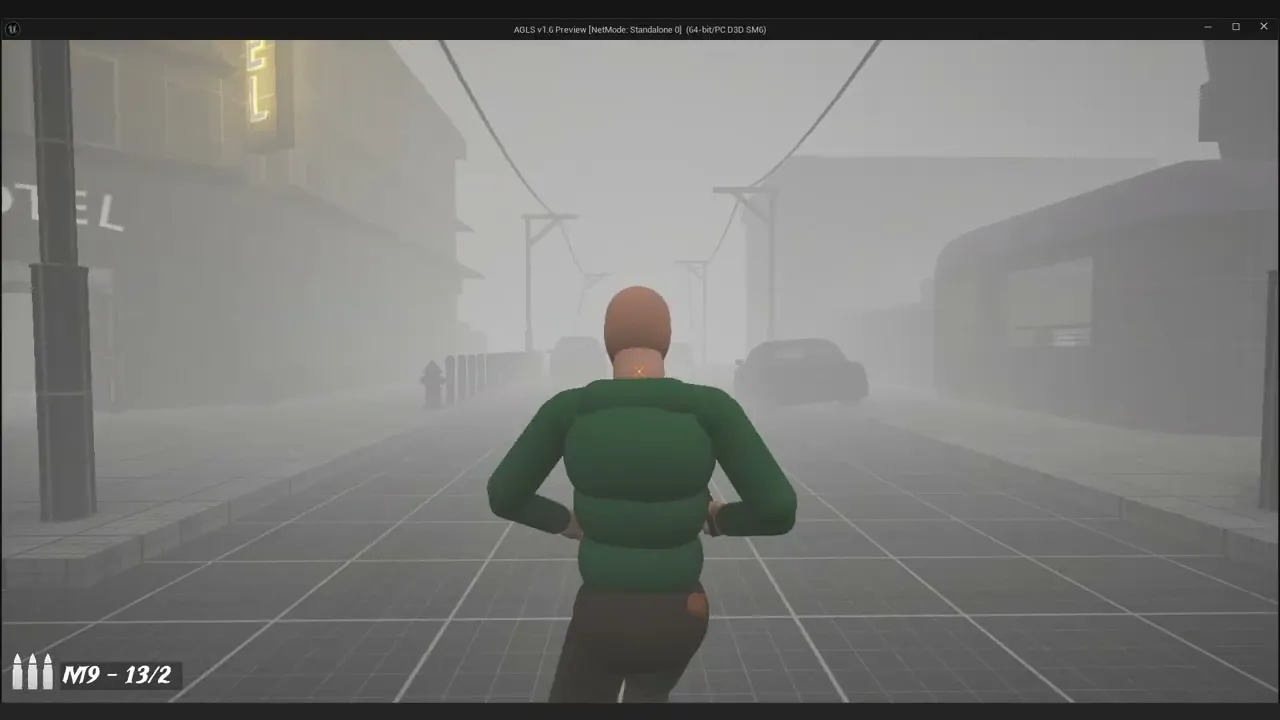
Video shows entire gameplay in this level. Thick fog is obviously an obstacle if you want the closer look to the blockout. Fear not! You can see some screenshots without fog - just look at the slideshow below.
Step 1: Idea
The idea was simple: to capture the overall atmosphere of Silent Hill 2, especially the empty, foggy streets of a small American town. I had a clear vision of what I wanted to achieve and the kind of emotions I wanted to evoke in the player.From the very beginning, I felt the level needed a stereotypical American diner, as well as that uncanny ravine that occasionally cuts through the streets in Silent Hill.
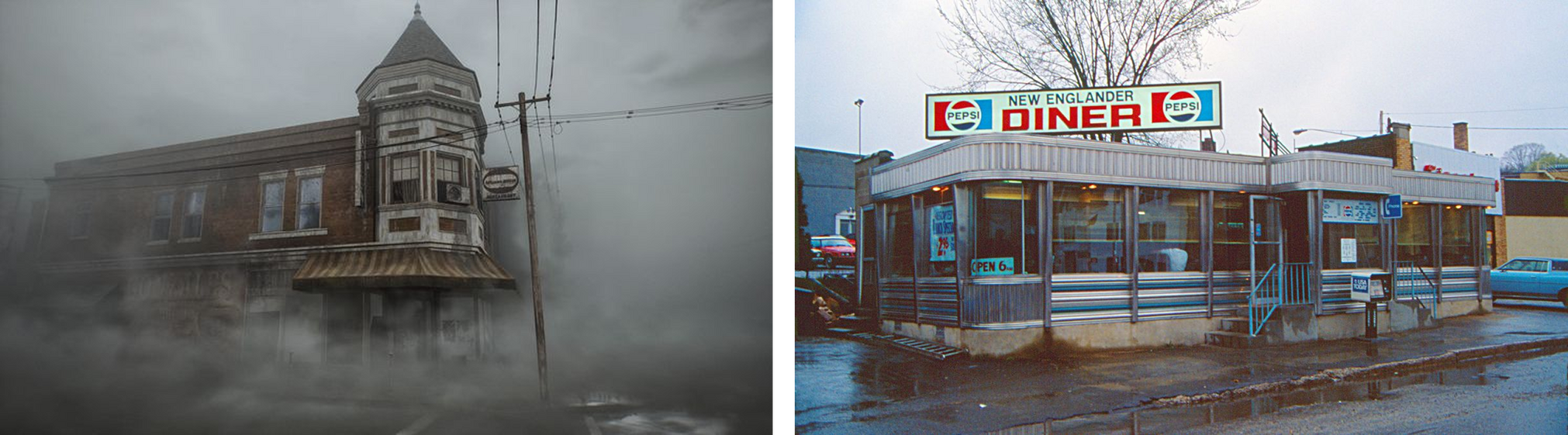
As for the gameplay, I aimed for a mix of action and light puzzle-solving, but most importantly, a strong, unsettling atmosphere and careful, slow-paced exploration.
Step 2: Engine, Assets, Tools
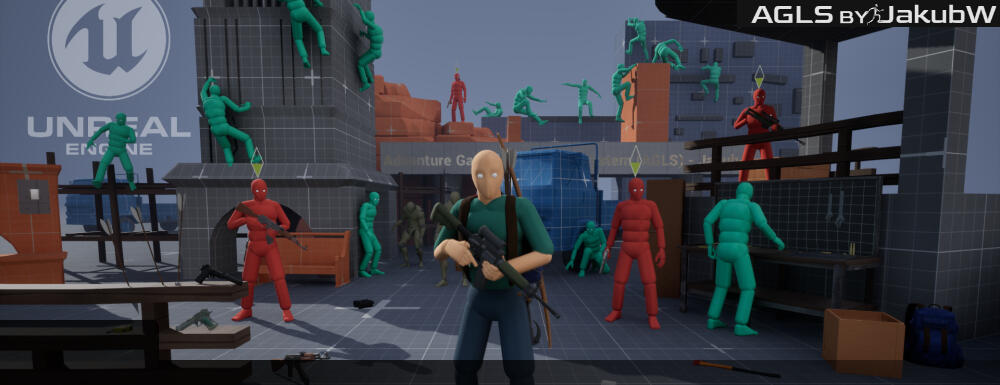
My main tool of choice was, of course, Unreal Engine 5. To speed up the process, I decided to use AGLS v1.6 by Jakub W., which allowed me to focus on the level itself rather than building all the gameplay systems from scratch. It provided a solid player controller along with a range of useful features.I still made a few adjustments along the way, mainly to the camera settings and movement feel, to better match the experience I was aiming for.
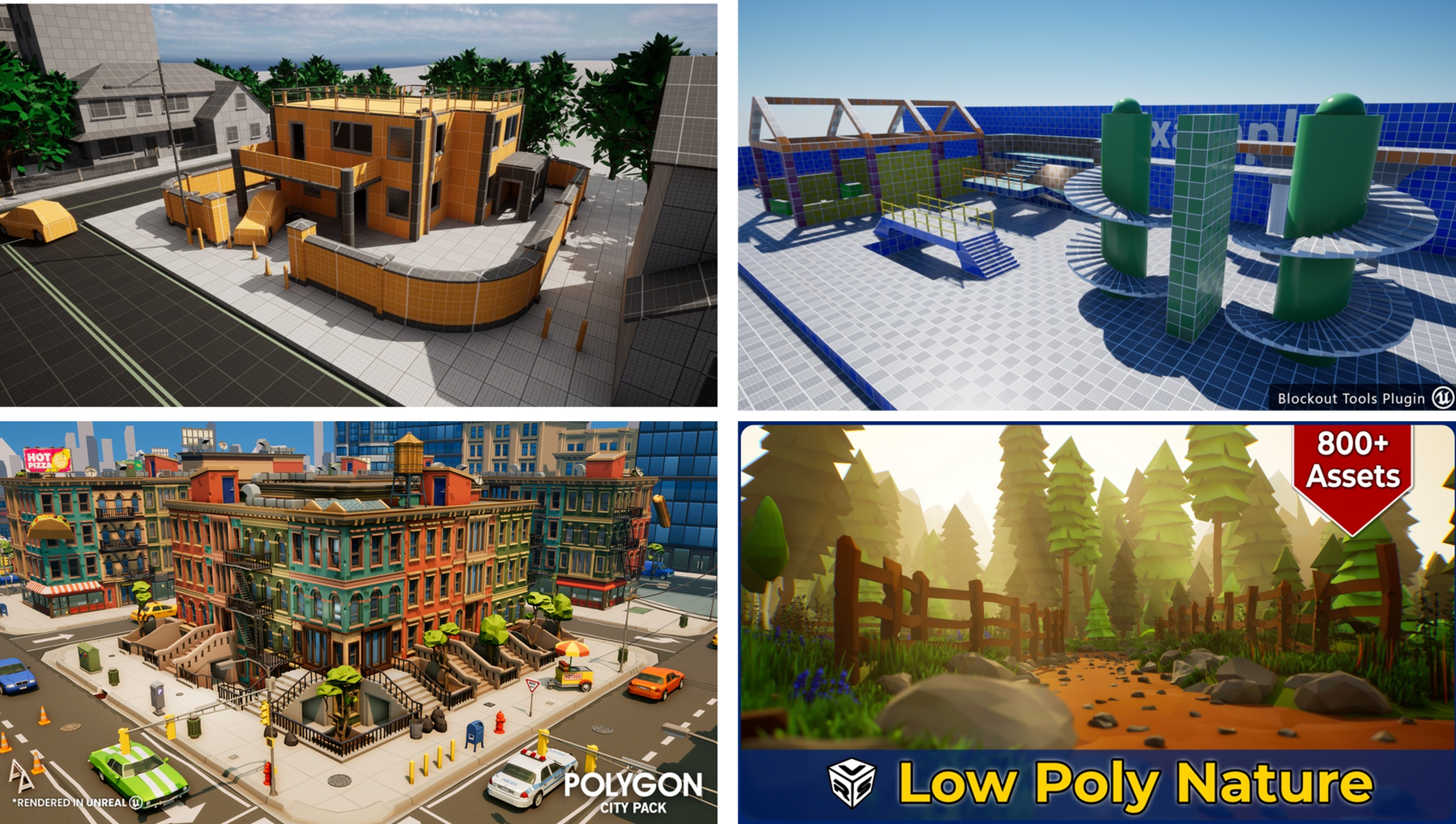
The next step was choosing the assets I wanted to use. My go-to tools were Blockout Tools and the Blockout Starter Pack. The first one is perfect for a fast initial blockout, while the Blocking Starter Pack helps add more detail and shape the overall geometry.I also used the Polygon City asset pack, which allowed me to populate the streets with vehicles and additional urban elements. In some areas, I incorporated assets from a Low Poly Nature pack as well. By sticking to the materials from the Blockout Starter Pack, I was able to keep the entire blockout visually consistent.
Last but not least, I used 3D Letters to create simple signs that help guide the player through the environment.
You can get mentioned assets from here:
This is also a good place to mention the other tools I used: Figma and Photoshop, which were especially helpful when designing the overall layout of the level and managing entire content needed for this post.
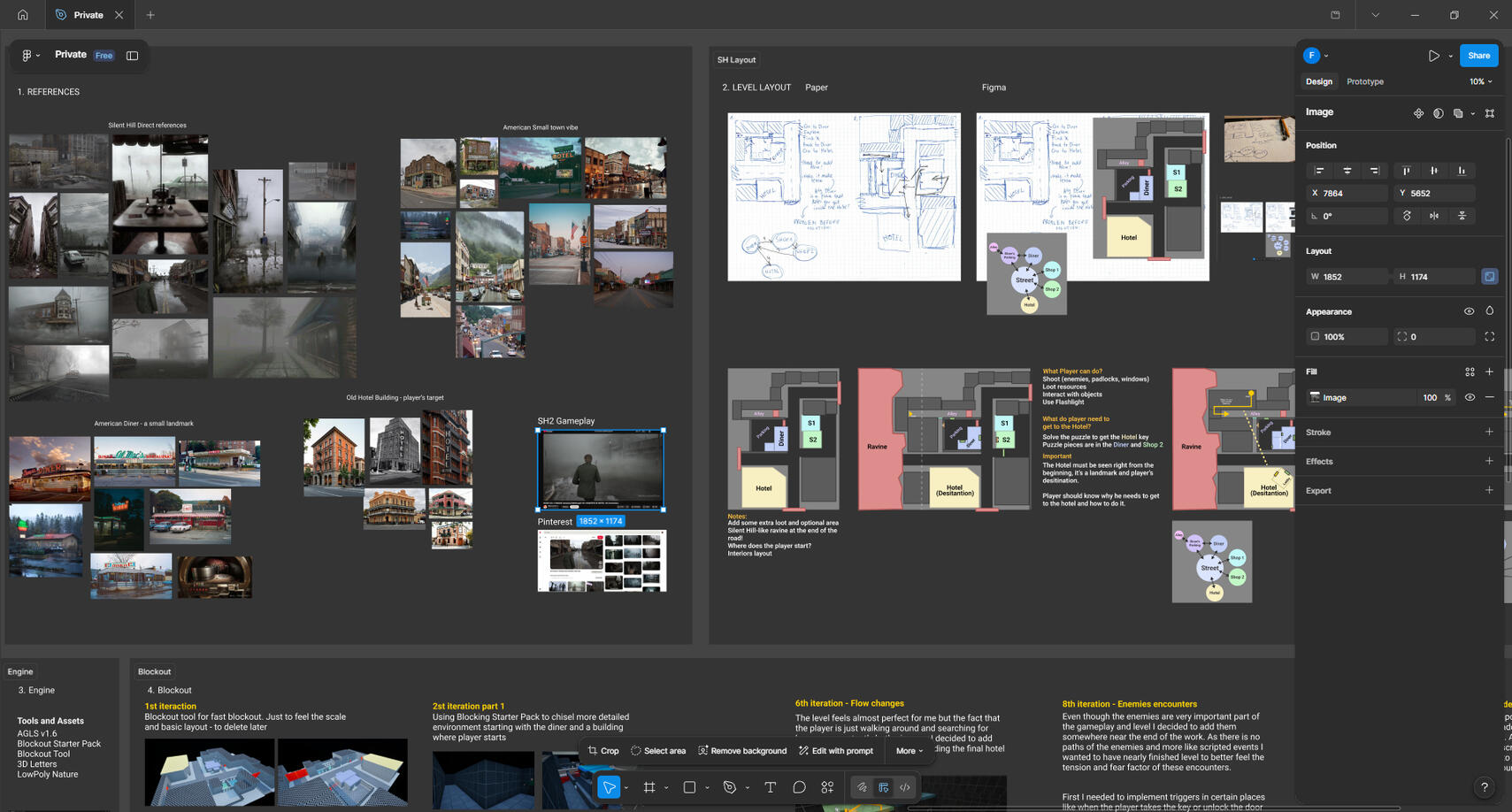
Step 3: References
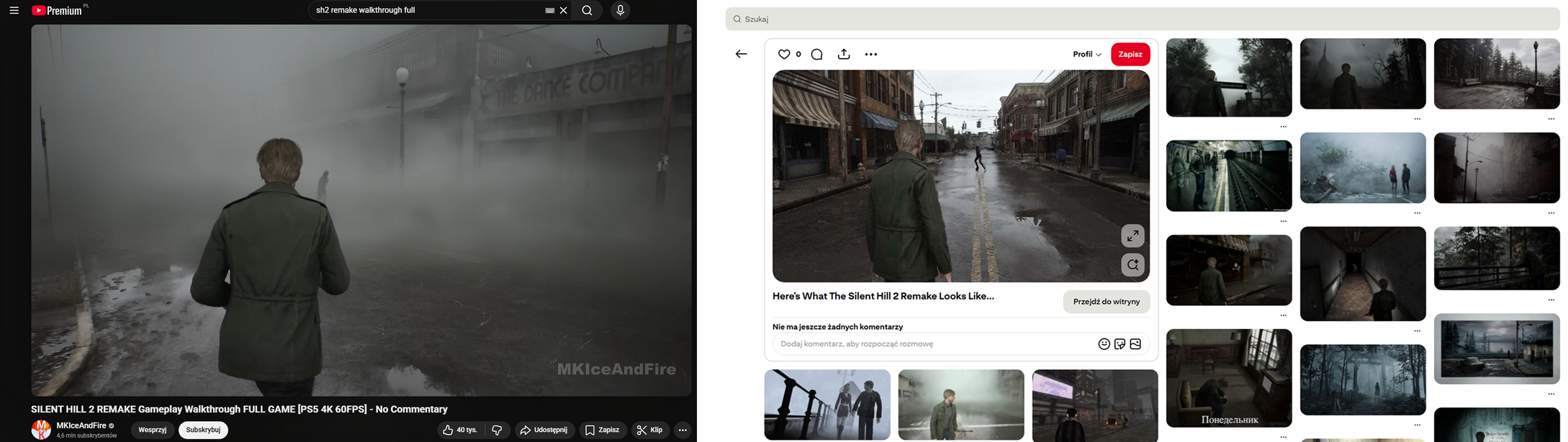
When it comes to references, I mainly searched for them on Pinterest. Of course, watching gameplay from Silent Hill 2 Remake was also an important part of the process.
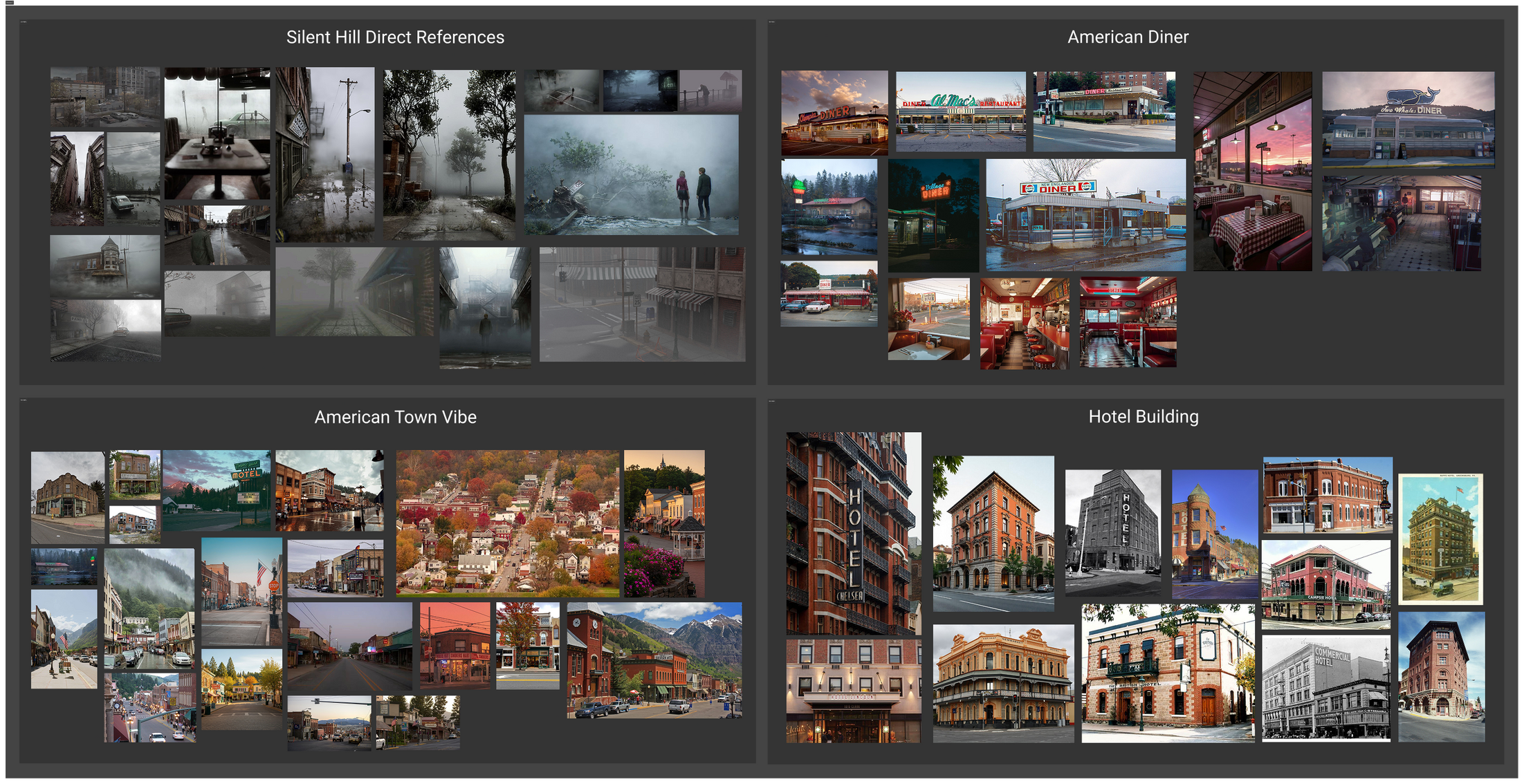
I decided to break my references down into a few key categories: direct atmosphere references from SH2, the vibe of a small American town, an American diner, and a small hotel serving as the player’s main destination.
Step 4: Top View Sketch
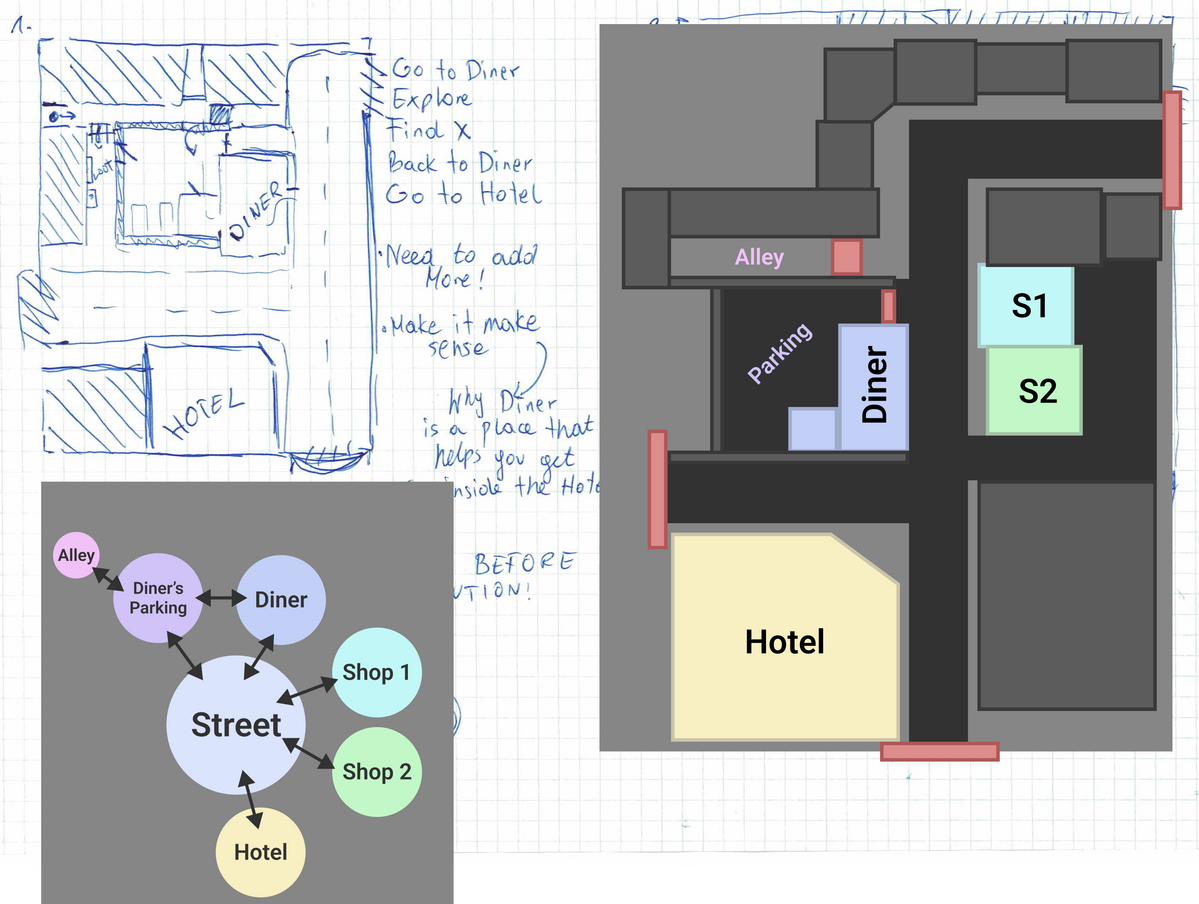
I'm gonna be honest - I am not a huge fan of pen 'n' paper. I believe that I can skip this part and jump straight into the engine where I can test geometry, scale and other things on the go and also not spend much time on it.This time though, I decided to sketch my level first. I started with the rough sketch using a pen and some paper. I didn't pay much attention to it as I just wanted to draw something fast and then remade it as a digital version.
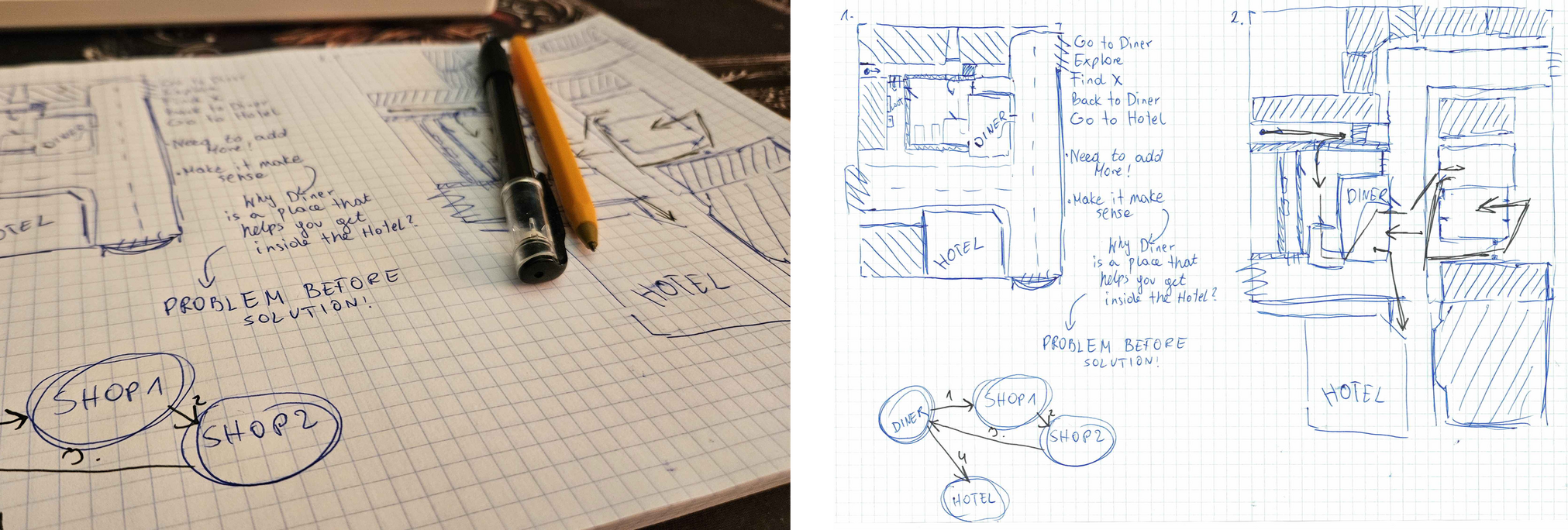
The other thing I did here is a small and simple graph that shows the connections between major areas of the level. This element will also be transfered into digital version later.
Step 5: Digital Layout
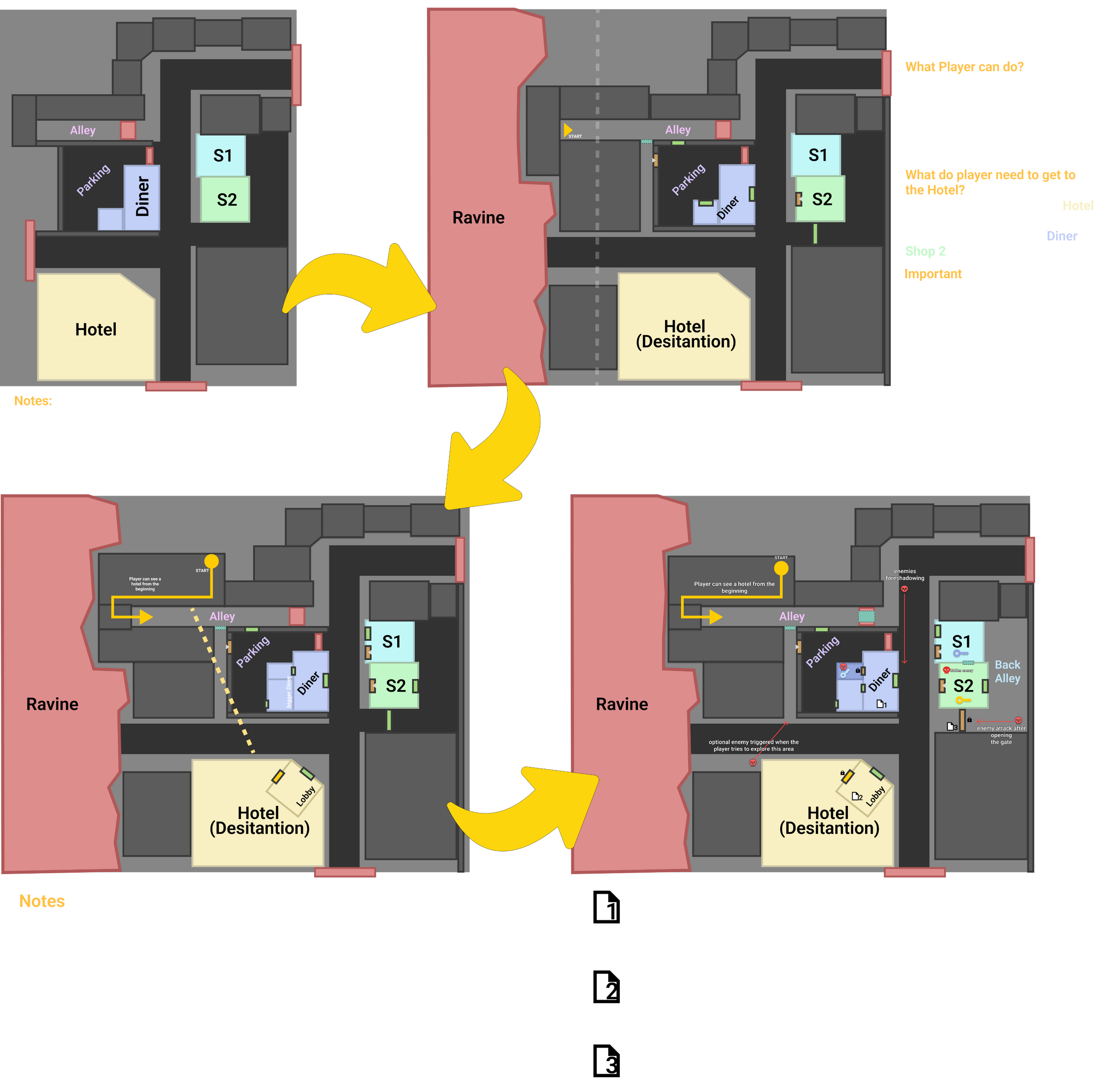
What is better than pen 'n' paper... mouse and monitor?There are many reason why I decided to digitalize the rough sketch I did.First of all - I could make changes in no time. I'm using Figma for few years now so every change was a matter of seconds. I had an infinite pallete of colors and inifite room to design... also infinite amount of chances to fix some mistakes or make some major changes. There's no need to take an another sheet of paper!My point is: If I need the layout before jumping in the engine - I would rather use my PC than Pen and Paper (but it was a nice start :P).
My process here is simple:
1. Convert a sketch into a digital layout
2. Arrange the space
3. Add notes
4. Plan the level flow and the player’s pathI also used Figma space to write down some of the in-game text that would help the player understand their current objective.
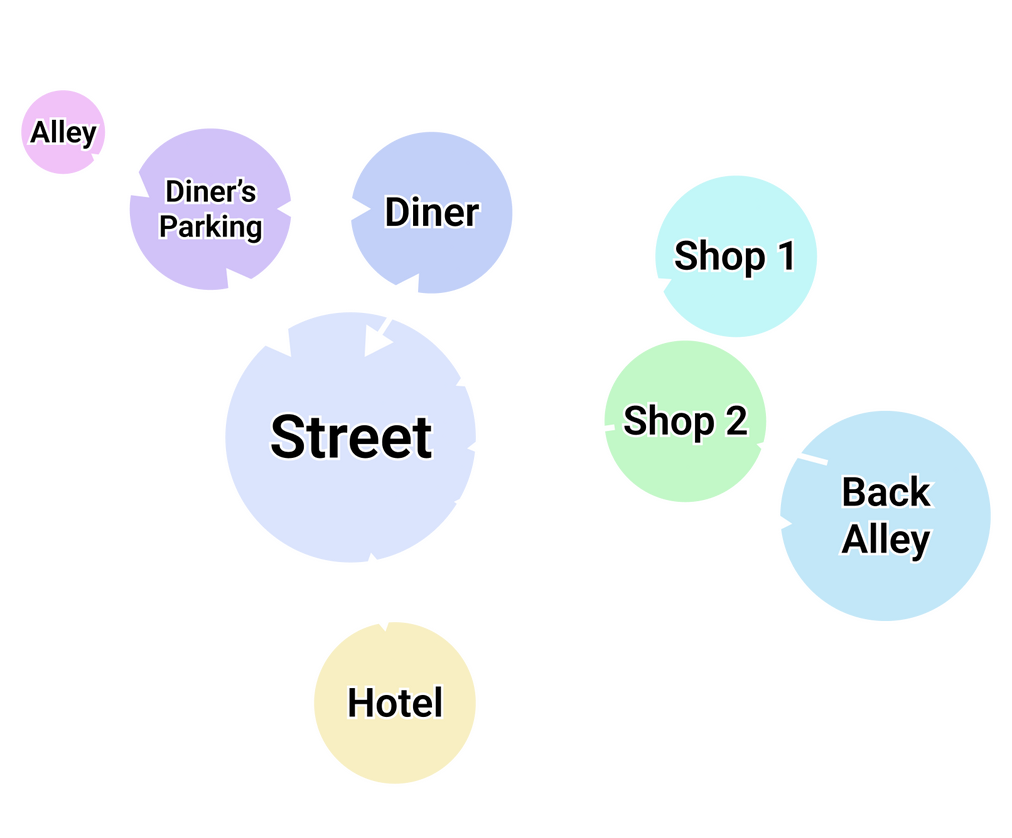
During the process I updated the diagram that shows the connection and relations between segments of the level.
So, how does the final player path look?1. The player starts in the apartments and moves through the corridor
2. They exit to street level into one of the side alleys
3. They head to the diner, where they find a locked bathroom and a note directing them to John’s shop
4. The player can optionally check whether the hotel is accessible at this point
5. Inside, they find blocked passages and a note suggesting the key is with the locksmith
6. The player goes to John’s shop, where they find the key and also spot the locksmith nearby
7. The locksmith’s entrance is locked, as is the gate leading to the back area. A note reveals the person is located in the diner
8. The player returns to the diner, unlocks the bathroom, and obtains a key
* At this point, they can optionally explore a side area, which loops them back to the diner upon exit
9. They proceed to the back alley, which leads them to the locksmith
10. They collect the key from the locksmith, exit the area, and head to the hotel
11. They unlock the hotel door and complete this segment
Step 6: Blockout - Rough Geometry
Now it's finally time! First iteration of blockout! I started with Blockout Tools asset - that allowed me to quickly blockout the first geometry using procedural primitives provided by the asset.
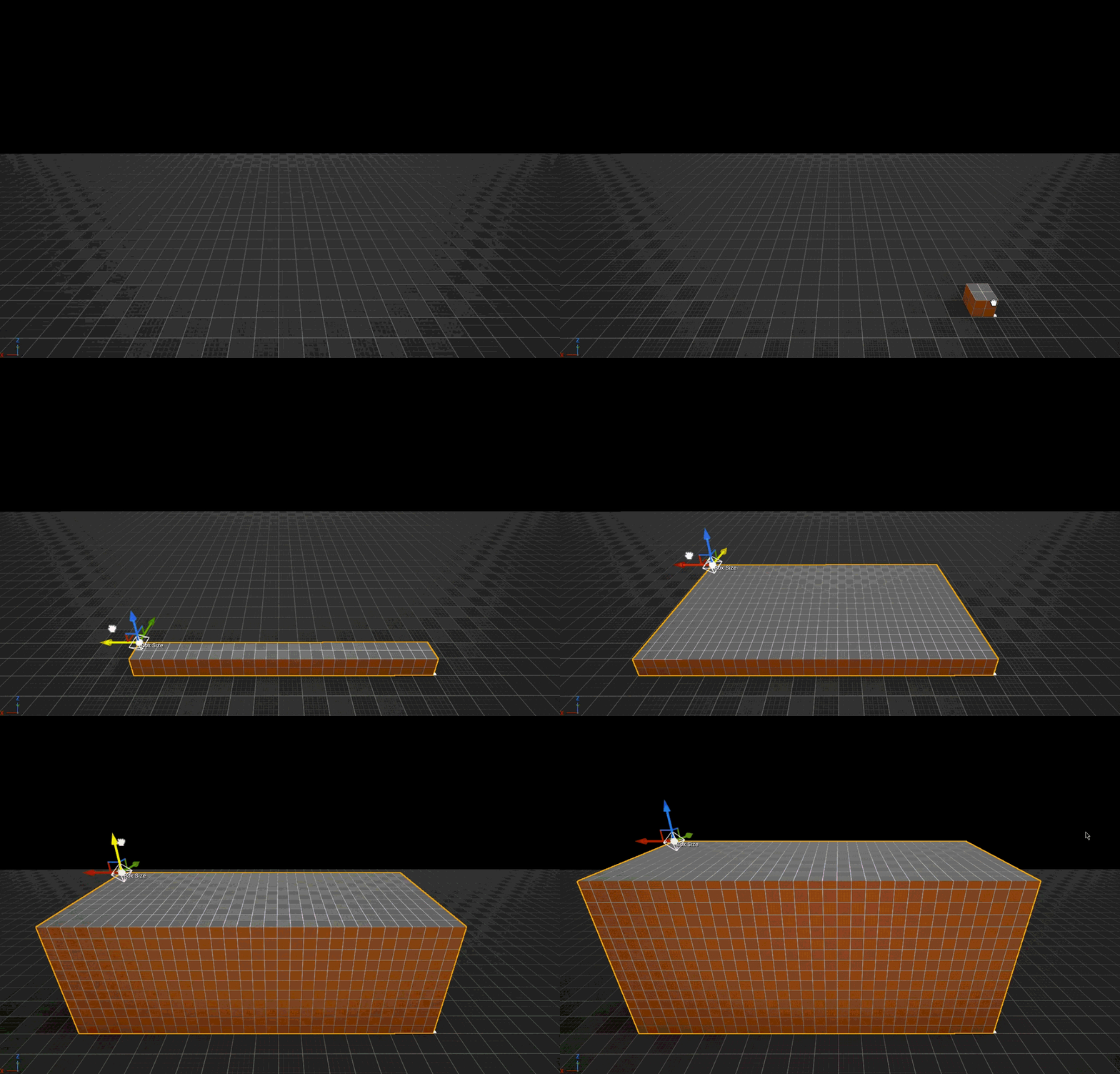
There’s one important thing I should mention here. In my opinion, Blockout Tools is perfect for creating initial geometry, allowing for a fast and simple blockout to get a feel for scale and space.
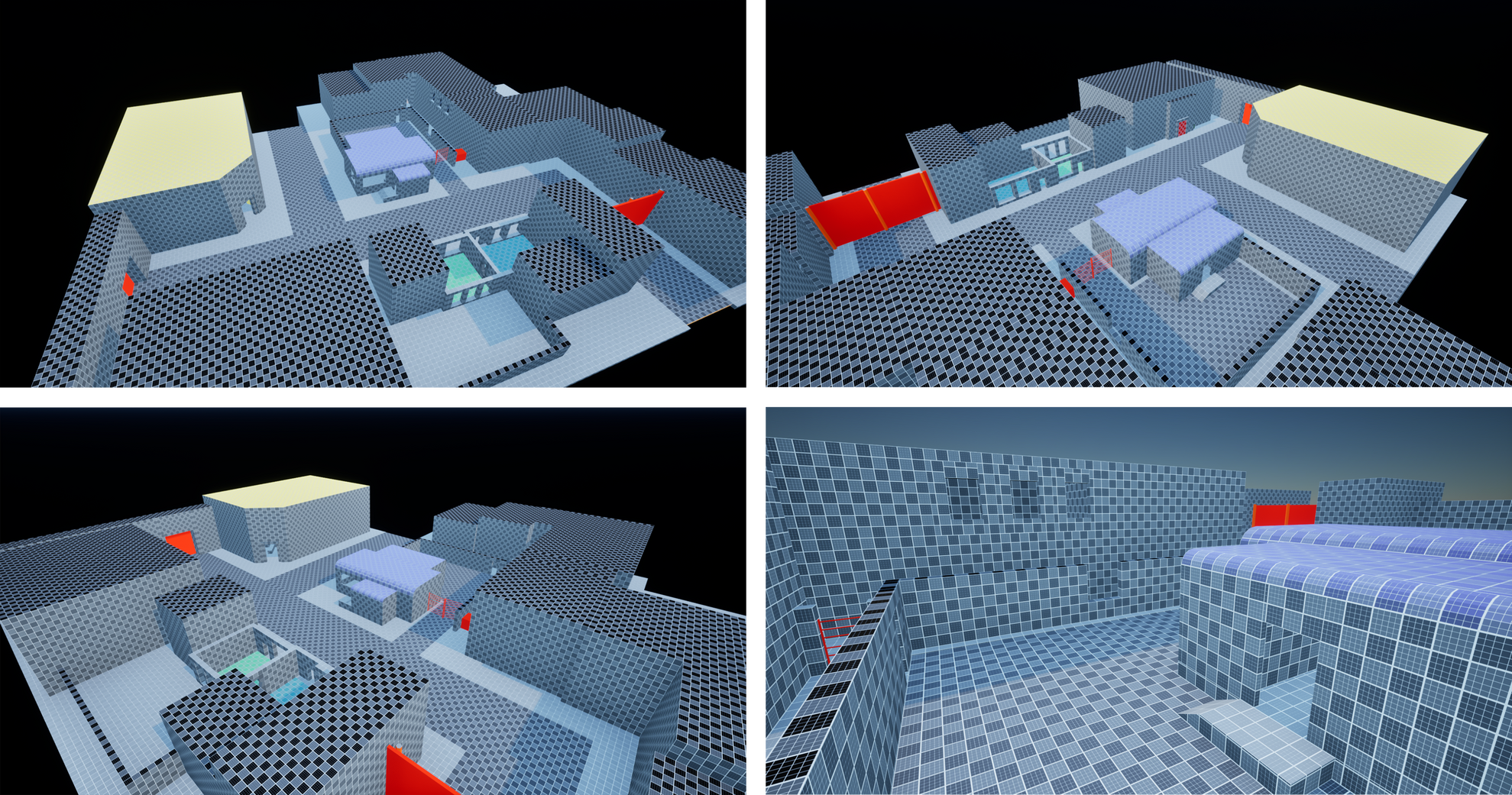
For the final piece, however, I needed a more modular approach, so I switched to the Blocking Starter Pack, which gave me exactly that.
Step 7: Blockout - Diner
In the second blockout iteration, I started refining the key elements of the level. I began with the diner, as it’s the first distinctive location the player encounters and an important one overall.
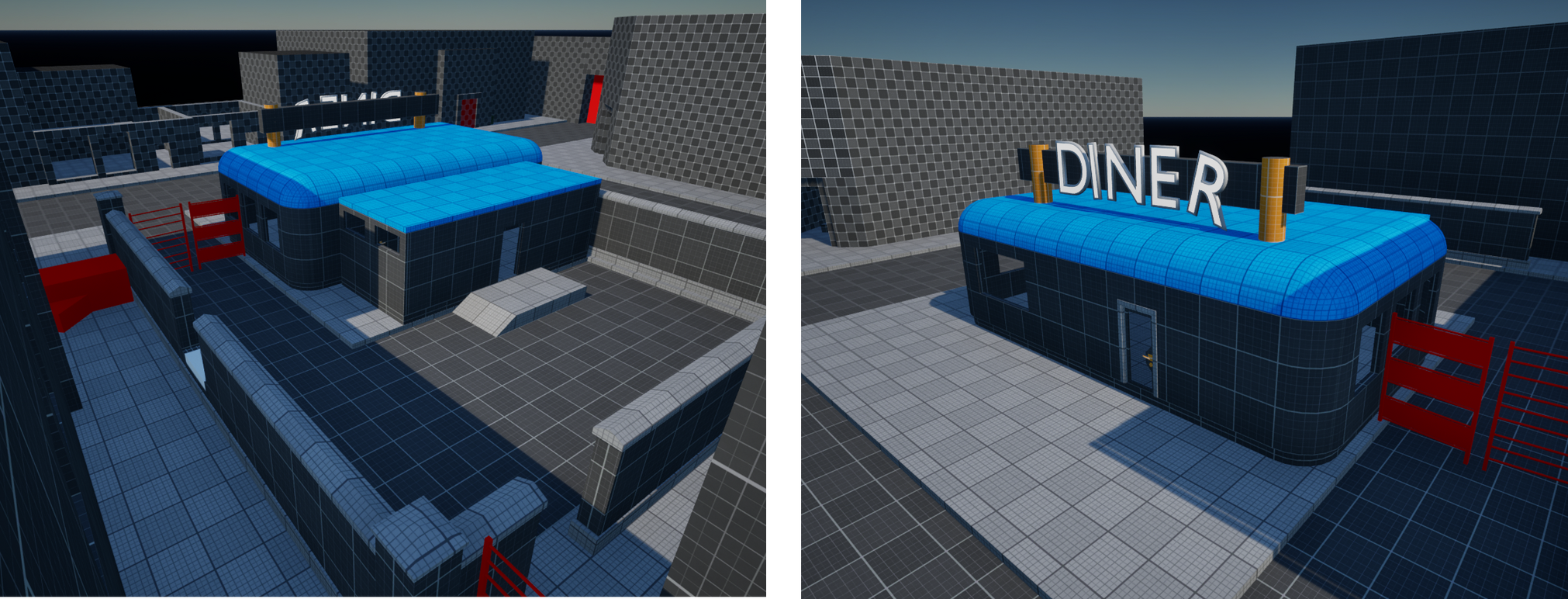
At this stage, I switched to the Blocking Starter Pack to ensure proper scale for architectural elements such as doorways, windows, and stairs. I also reworked the roads and sidewalks, and began establishing a color scheme to improve readability.
Step 8: Blockout - Interiors
My level also includes a significant amount of interior spaces and gameplay inside buildings, so it felt natural to focus on them at this stage, as they make up a large part of the experience.I started once again with the diner, then moved on to the shops. The hotel, however, was an interior I chose to leave for later, since it doesn’t feature much gameplay and mainly serves as the level’s exit point.
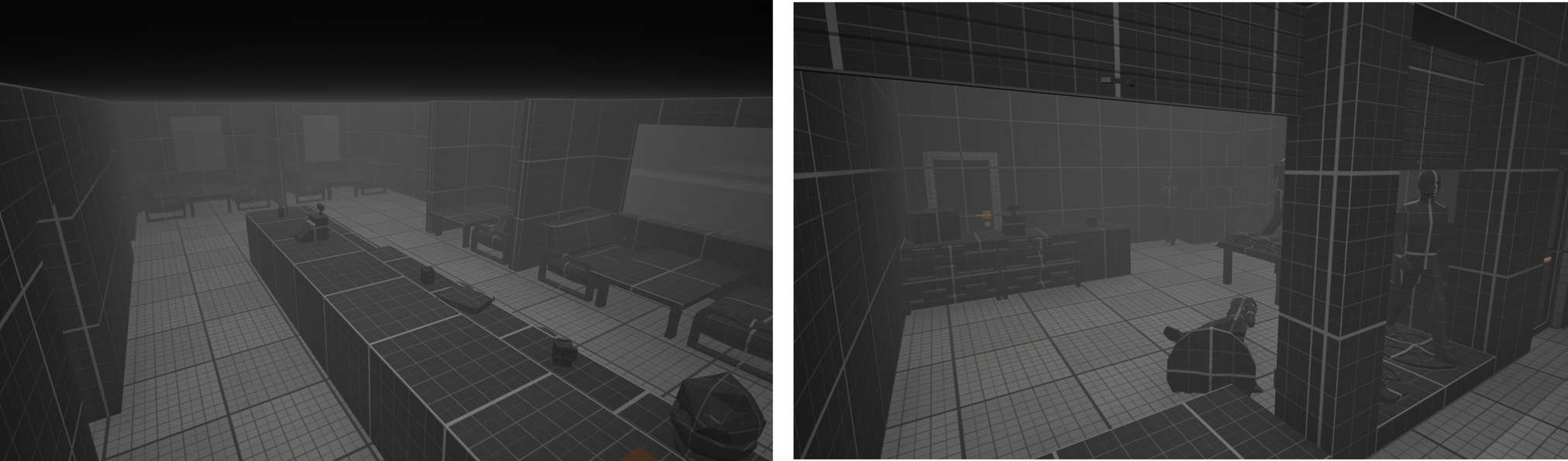
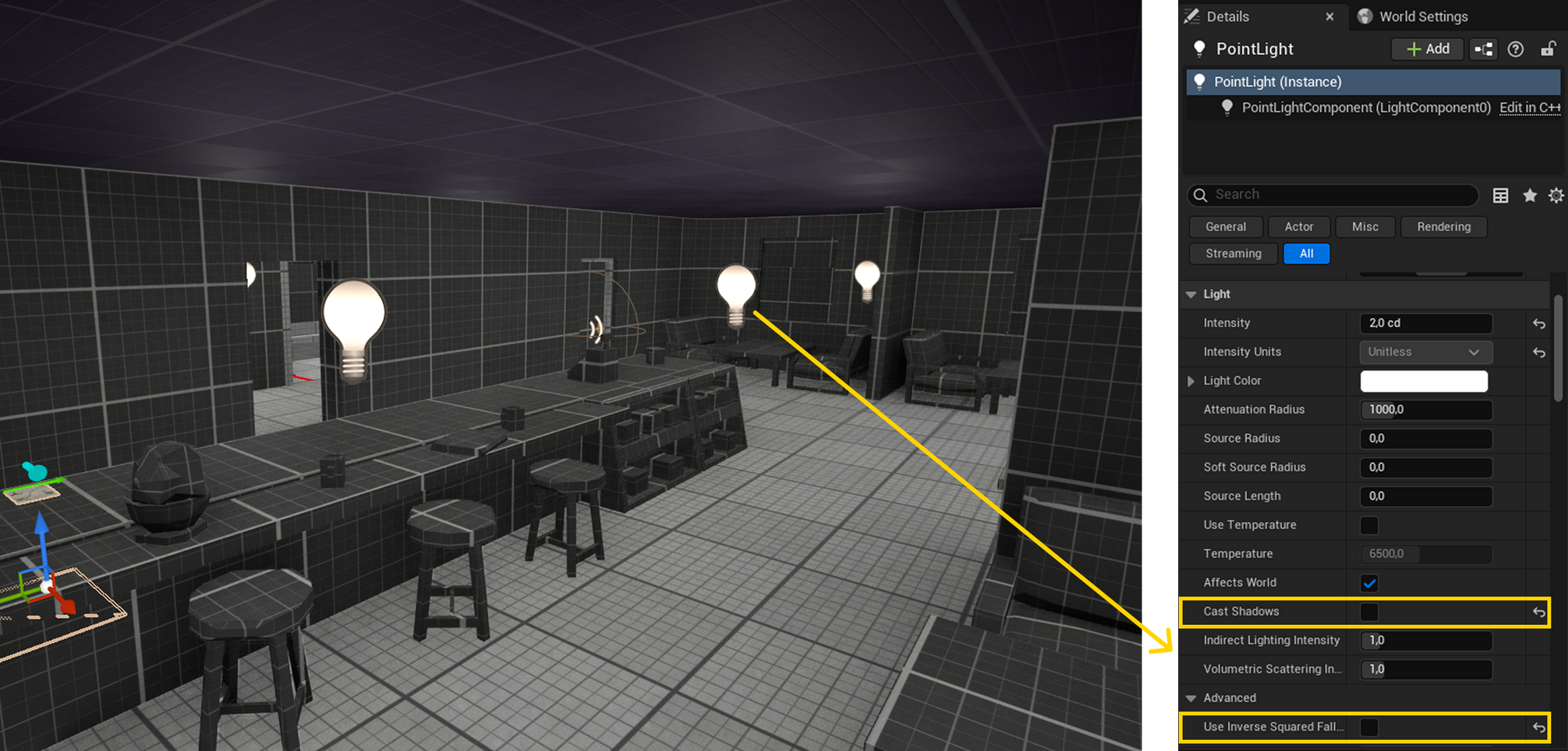
At this stage, I also started working on lighting and setting up the fog, which is an essential part of Silent Hill. I wanted to make sure everything remained readable and visible to the right extent.When it comes to lighting, I’ll share a simple method I use to add light that doesn’t have a visible source in the world, mainly for subtle illumination. I usually rely on a Point Light and disable Cast Shadows and Inverse Squared Falloff in its settings. This allows me to add soft lighting that blends nicely with the environment.
I’ve prepared a short slideshow to showcase the differences between the initial blockout and its current state at that point. The difference is clearly visible!
Step 9: Custom blueprints
Let’s take a short break from layouts, blockouts, and all the level design work. It’s time to create some custom Blueprints that will help bring more life into the level.At the beginning, I had to figure out what I actually wanted to add. The first idea that came to mind was breakable windows the player could smash. I decided to skip car windows, though...
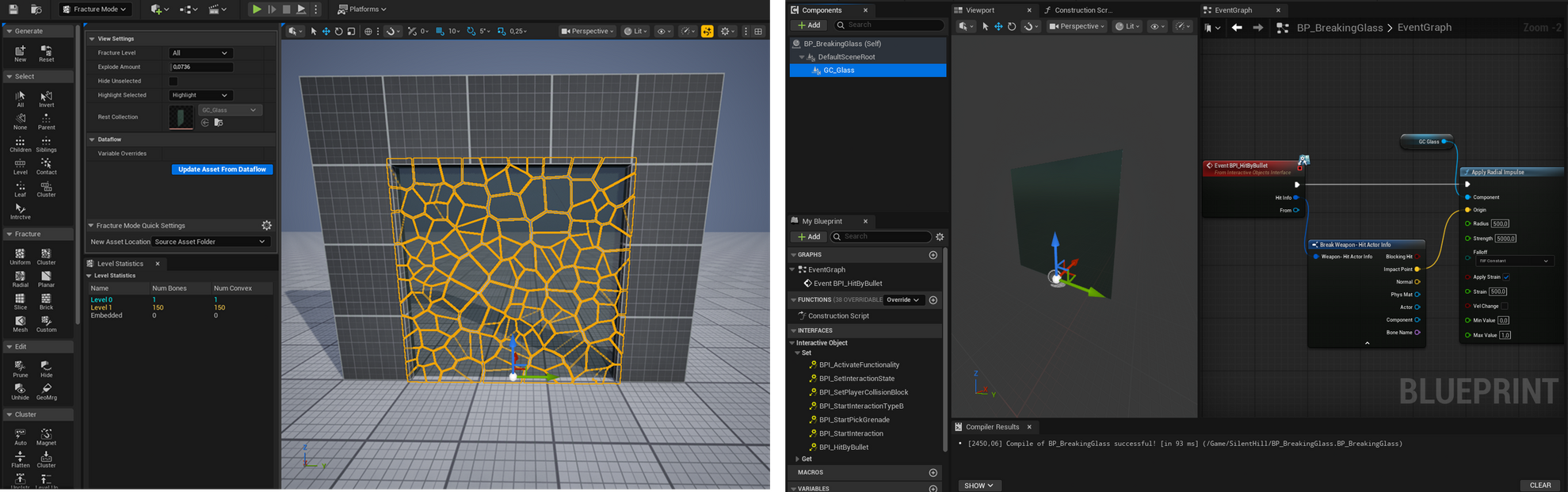
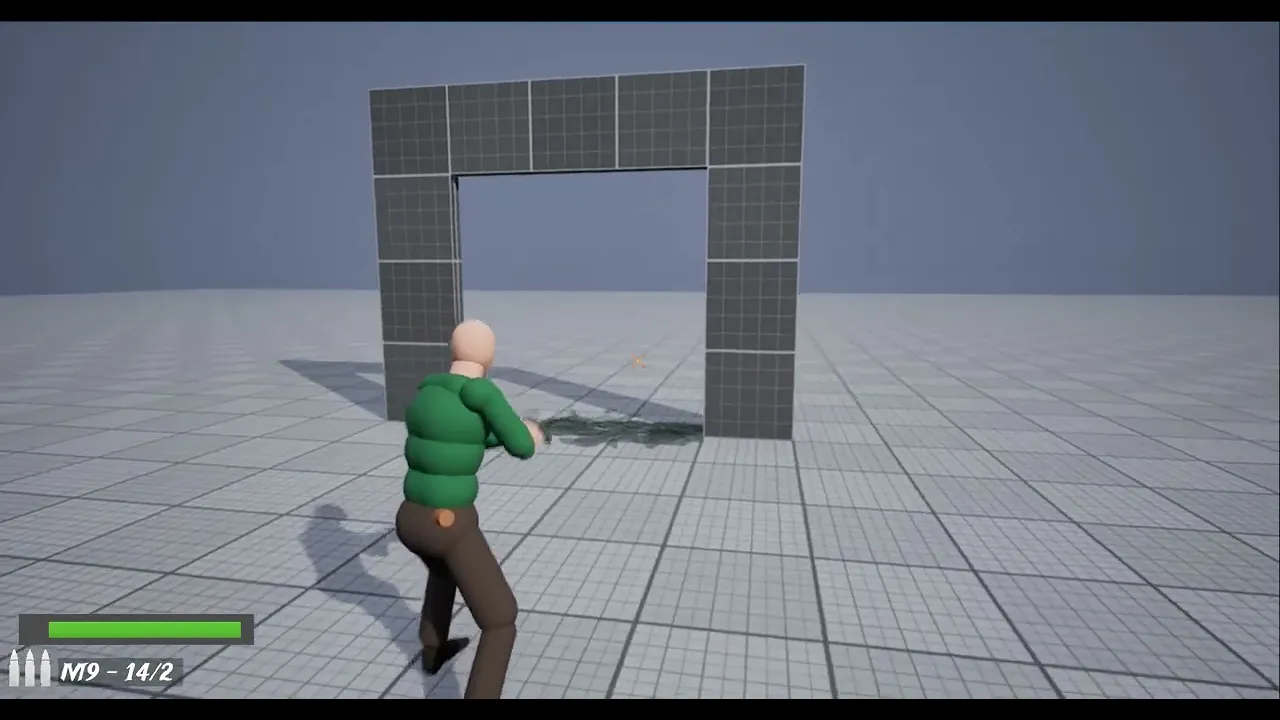
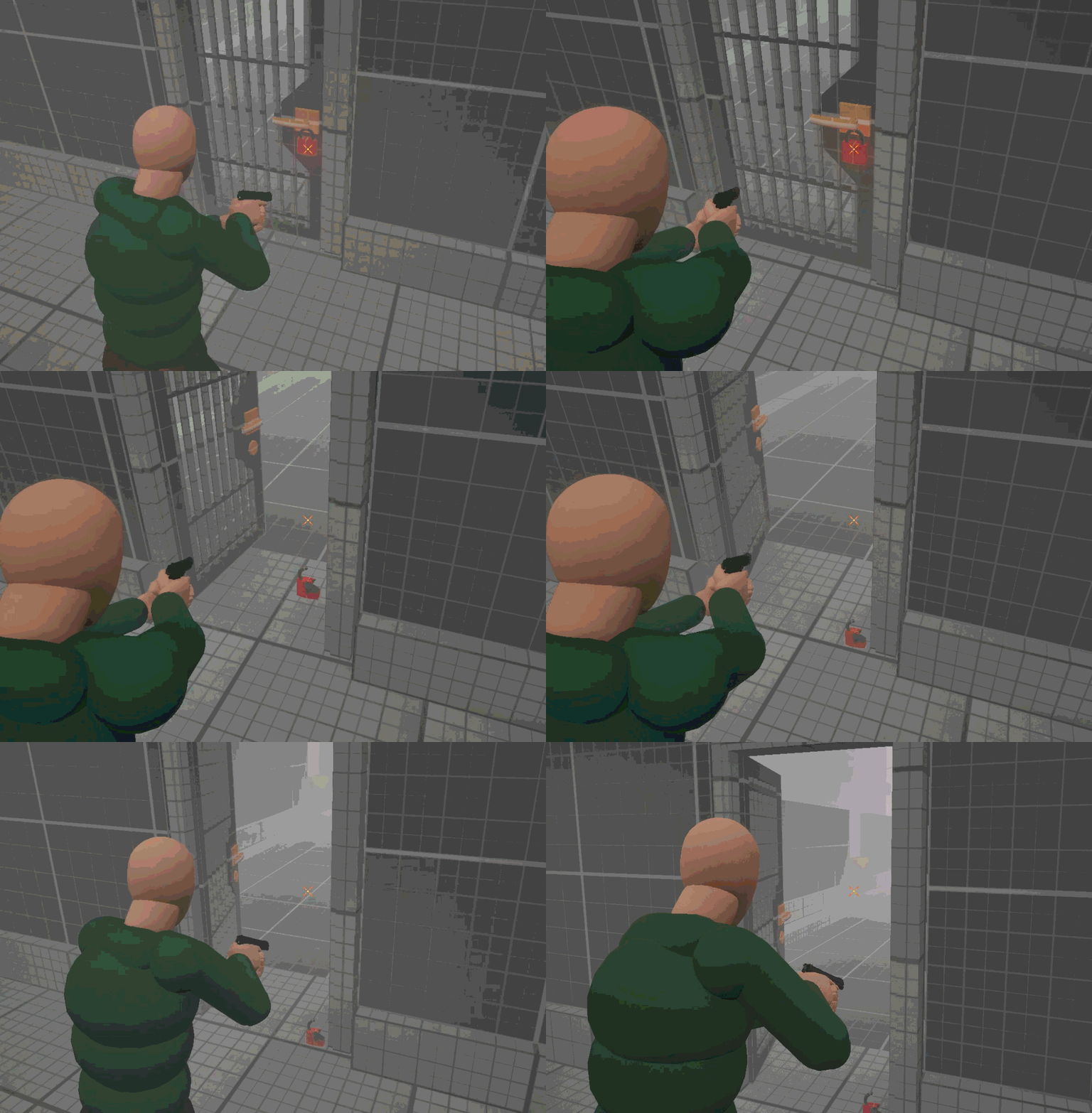
I also wanted a way to lock doors from one side, and padlocks worked really well for that. Shooting them off would unlock the door.
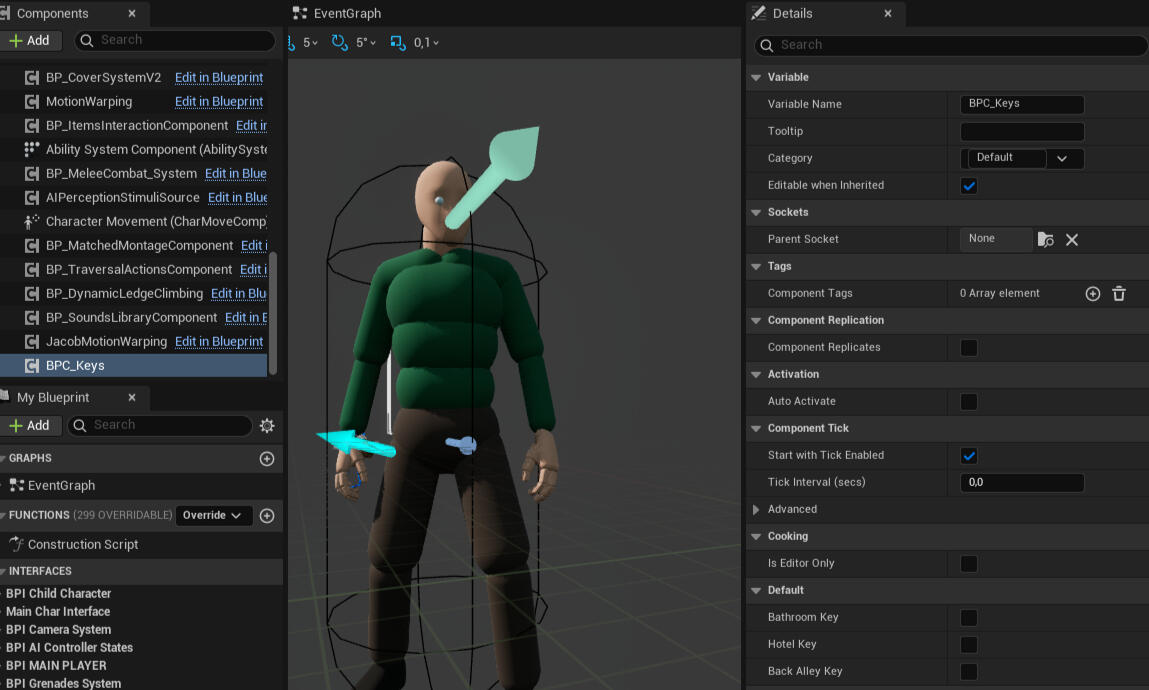
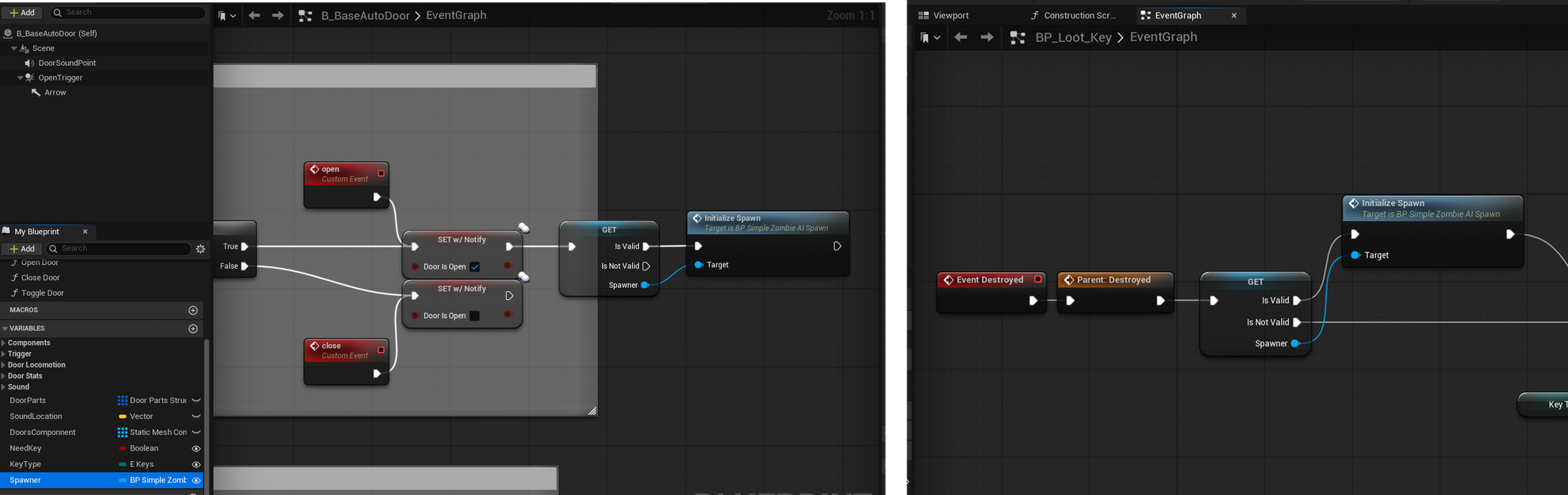
And of course, where there are doors, there have to be keys. I needed a very simple key system, where picking up a key not only allows access to locked doors, but can also trigger events, like spawning an enemy. It’s also worth mentioning that the Blueprint code I created is… a bit of a mess, and I’m fully aware of that. I didn’t want to spend too much time refining it.
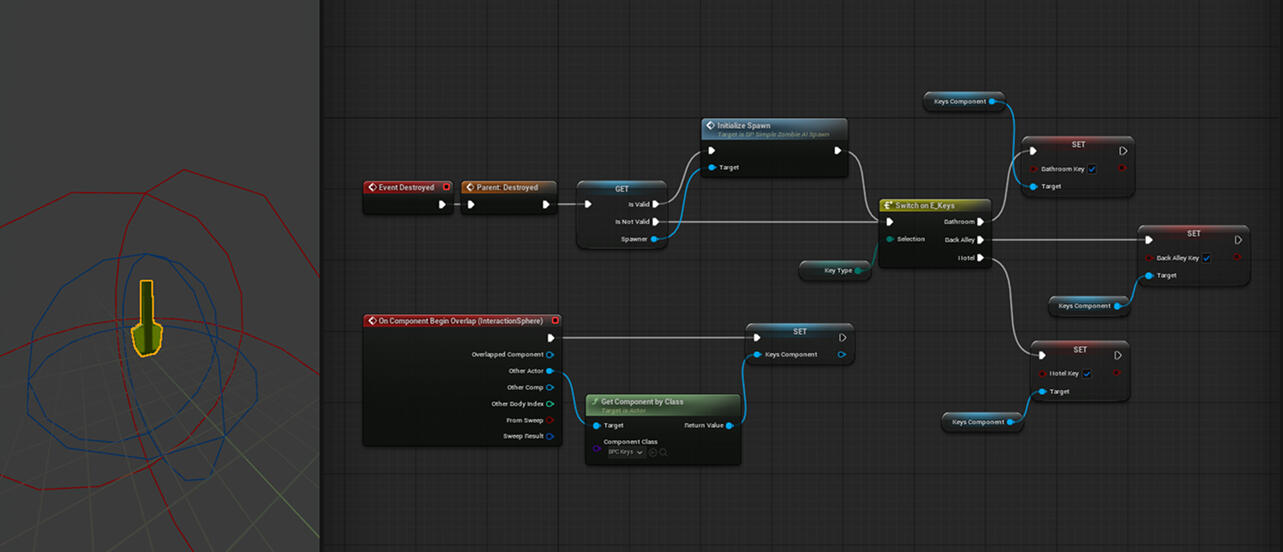
I also modeled a simple key using Unreal Engine’s Modeling Tools and then connected it to the Loot Actor included in AGLS.
I decided to create a Blueprint component to store information about collected keys. The door from the Blocking Starter Pack then checks whether the player has the required key.
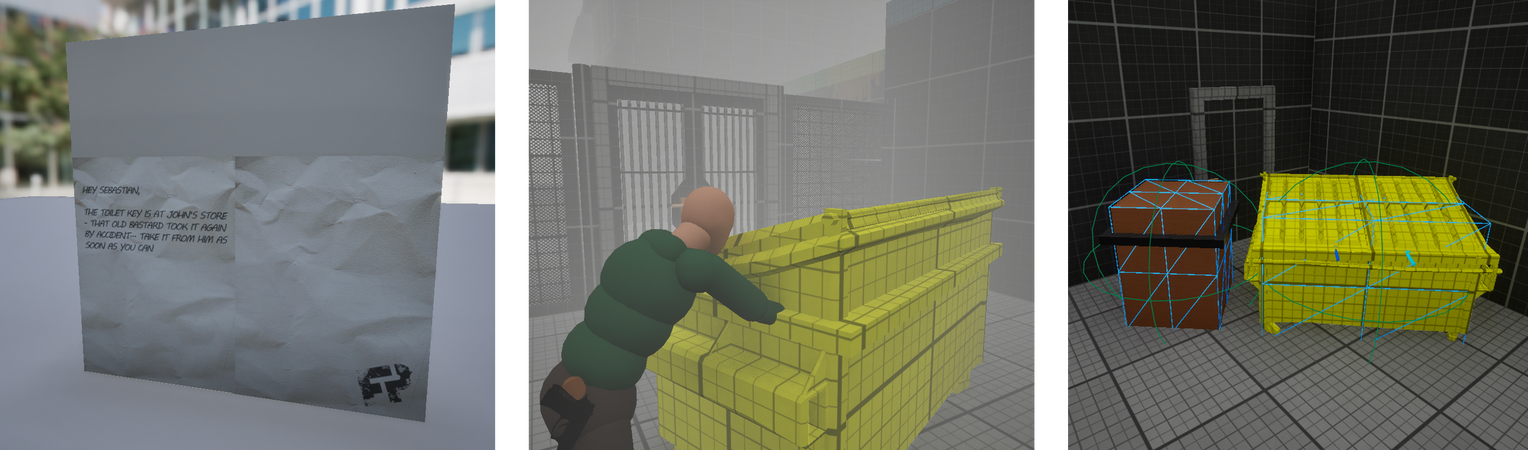
It’s also worth mentioning a few elements from AGLS that I had to modify:Notes – I wanted them to use custom textures with specific messages
Pushable trash bins – this was fairly straightforward, I just swapped the model and adjusted the Blueprint
Step 10: Blockout - Flow changes
At this point, I started to feel that the level lacked variety. Even with enemies added later on, it felt like there wouldn’t be enough elements to encourage the player to think and help shape the overall flow.
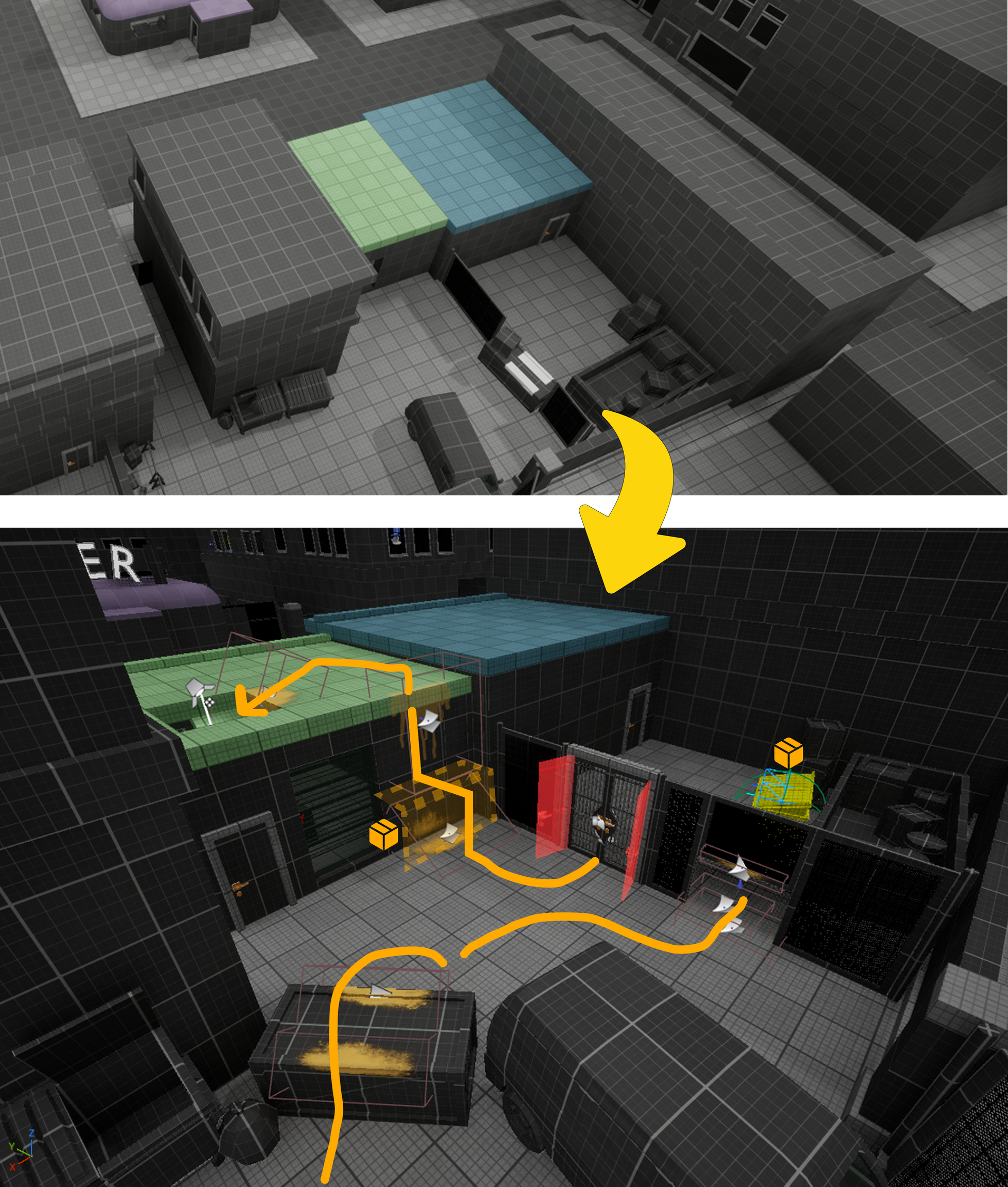
Because of that, I decided to rework the entrance to the locksmith, where the player retrieves the hotel key. I introduced a simple puzzle that requires moving a trash bin into the right position and climbing up, instead of just breaking a window and walking inside.
Step 11: Blockout - Guiding
I also took some time to better guide the player through the level. I used decals to signal traversal paths and subtly direct movement.
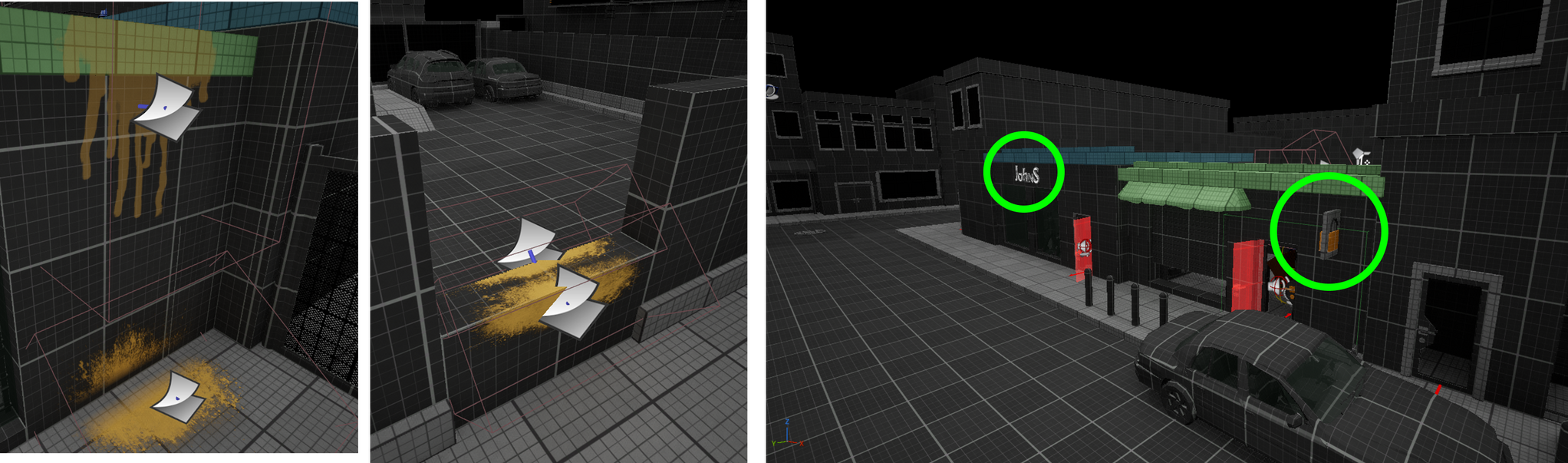
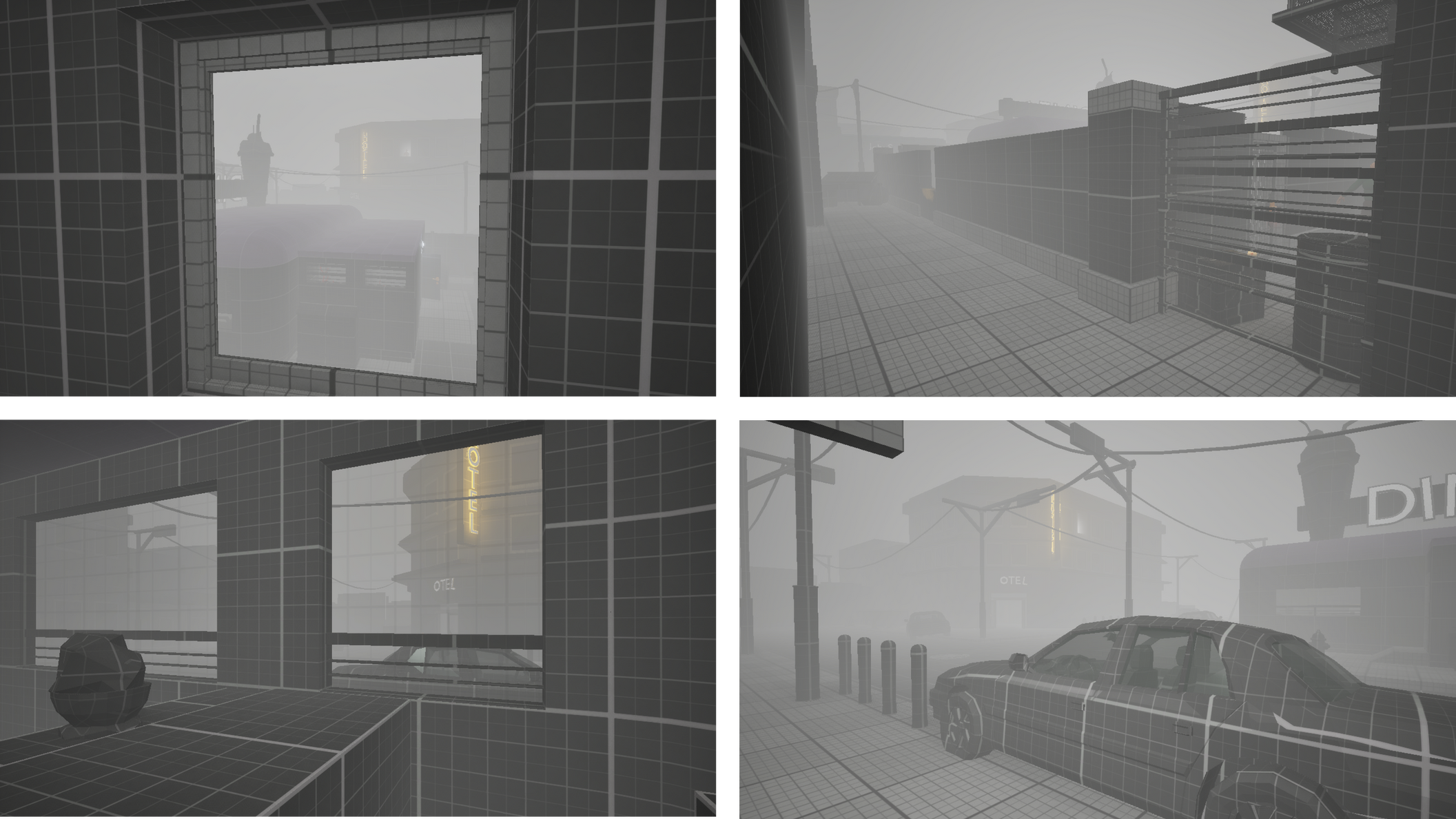
At the same time, I wanted to clearly highlight important locations, so I added signage for specific stores to make them stand out.I also wanted the hotel to be visible from as many points in the level as possible. You can see it right from the beginning, then again from ground level, as well as from the diner and several other locations.
Step 12: Blockout - Enemies
Even though enemies are a very important part of both the gameplay and the level, I decided to introduce them closer to the end of development. Since there are no traditional enemy paths and the encounters are more scripted, I wanted the level to be nearly finished so I could better shape the tension and overall sense of fear. As you may remember, I had already planned enemy locations in the layout, so all that was left was to set everything up and test it.At the beginning, I needed to connect the AGLS AI spawners to specific triggers, such as keys, doors, or simple box triggers.
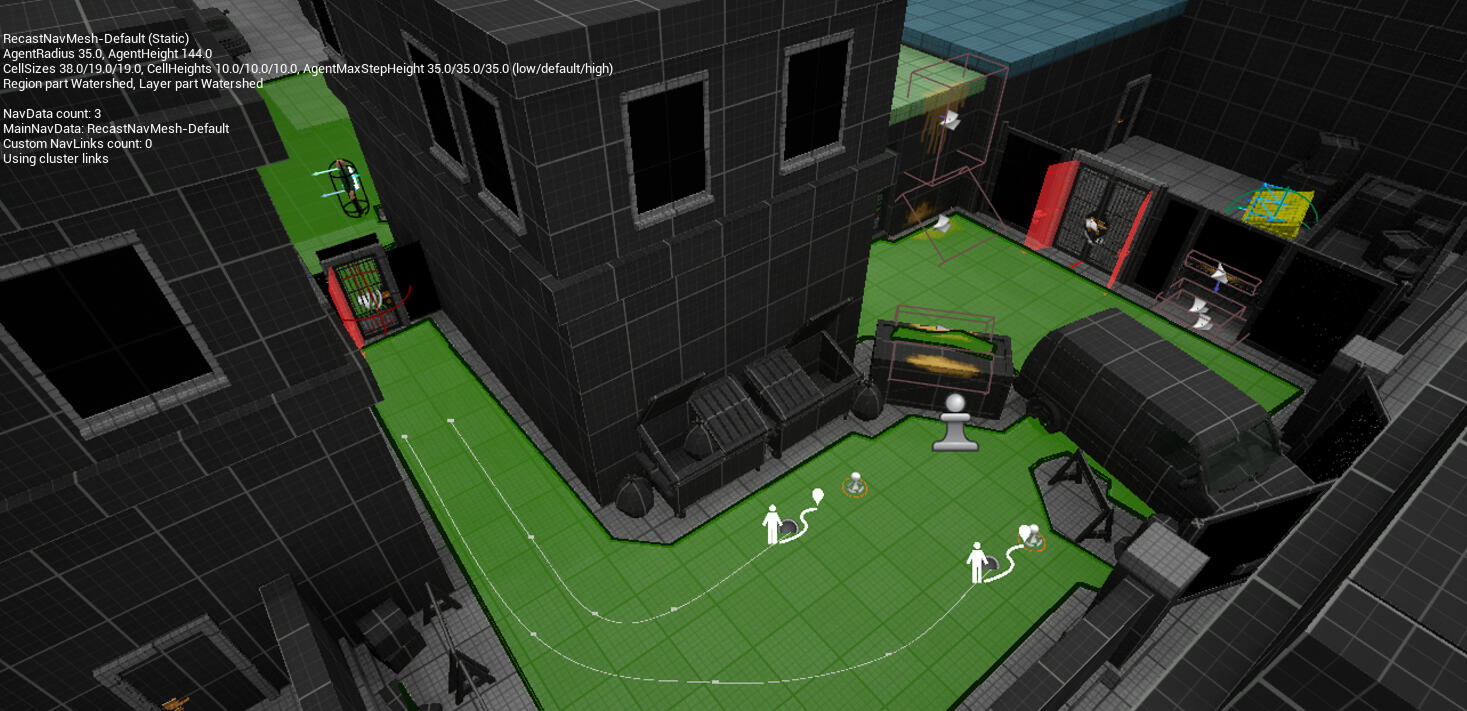
Of course, setting up the Nav Mesh was an essential part of the process. It did come with a few challenges, mainly due to the variety of assets used throughout the level.In some cases, I had to disable certain meshes from influencing the Nav Mesh, and despite that, a few problematic areas still required additional tweaking.
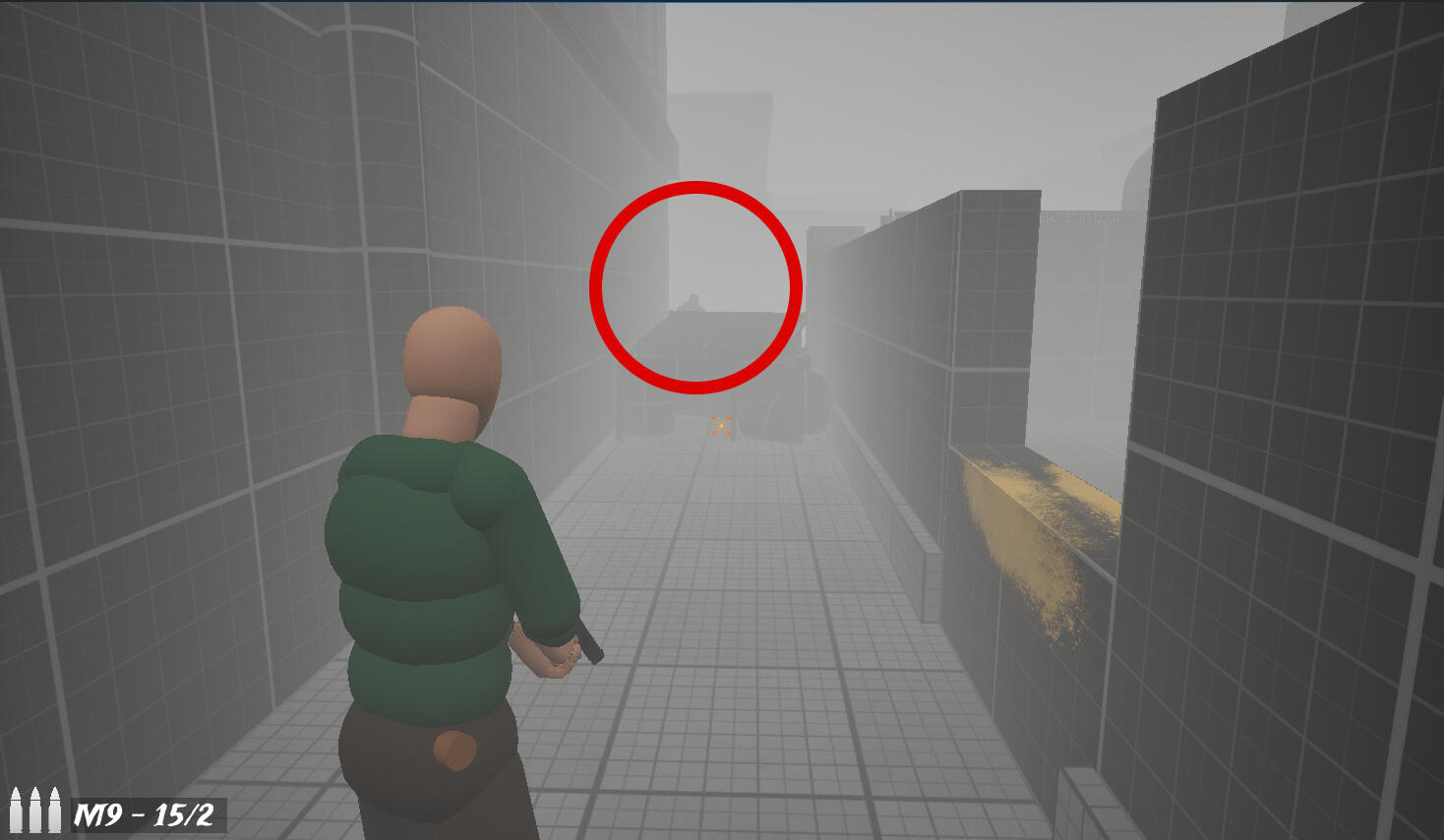
The first enemy serves as a subtle foreshadowing of the danger present in the level. The player can spot it walking behind a dumpster before it disappears, only to encounter it again after the initial diner sequence. It can also be briefly seen through the diner window as the player enters.
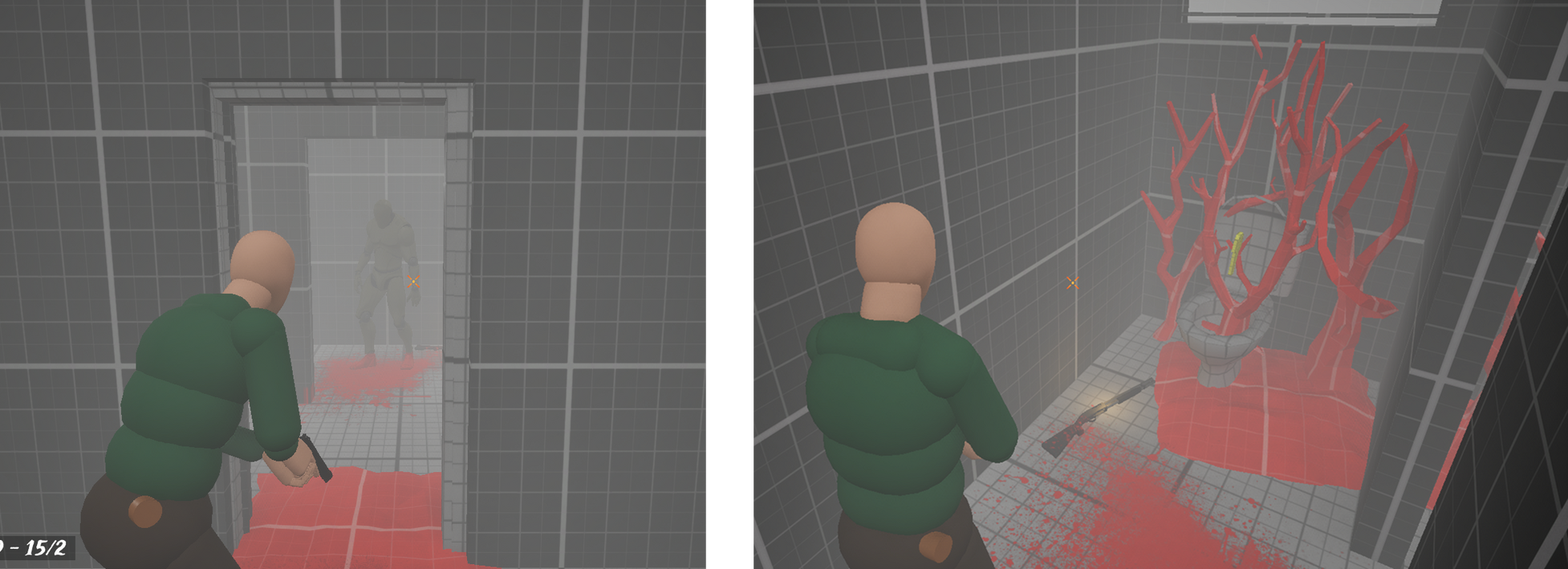
The next enemy the player encounters and has to fight appears in the diner’s bathroom. It guards a key and a shotgun, which serves as a small reward, giving the player more confidence and a tool to deal with future encounters.
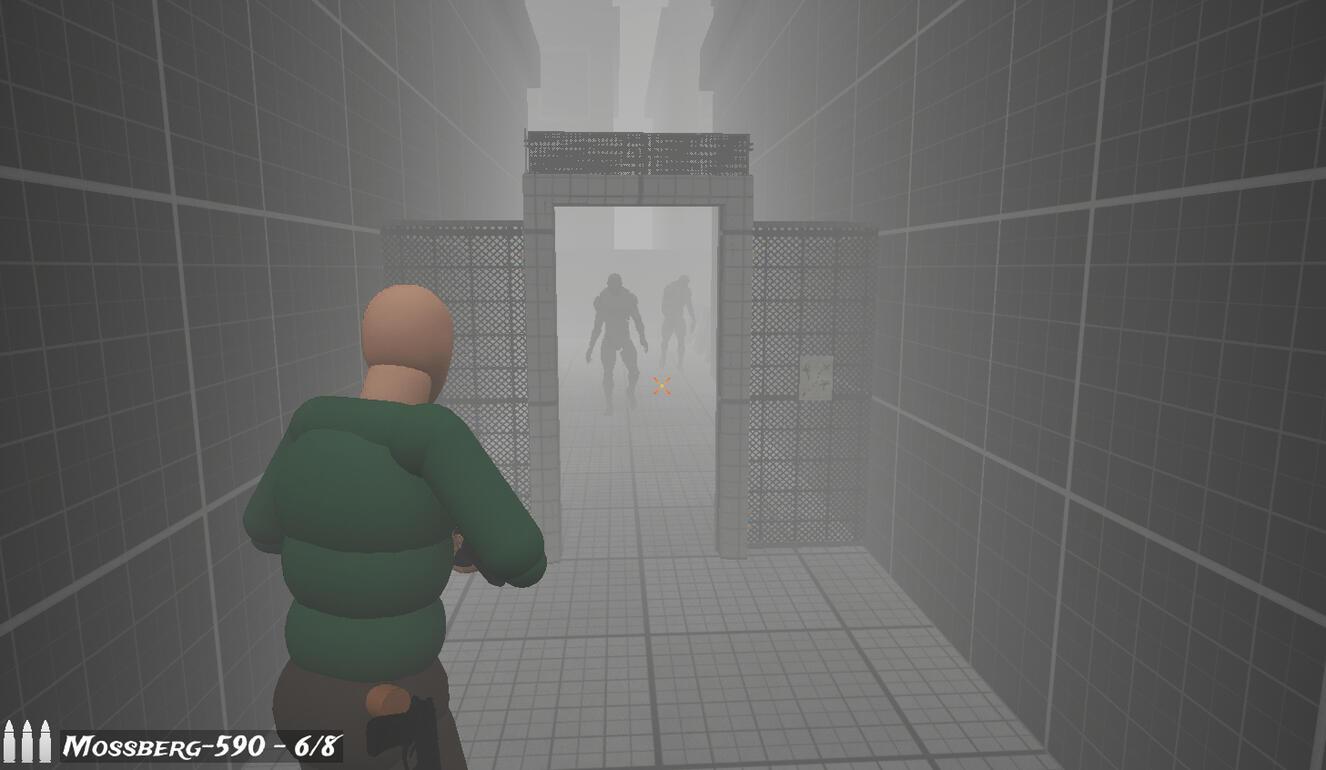
The back alley encounter features two enemies, giving the player a chance to make use of their new weapon. They also guard the area that leads to the locksmith, where the player can obtain the hotel key. They spawn as the player opens the door and immediately begin moving toward the player.
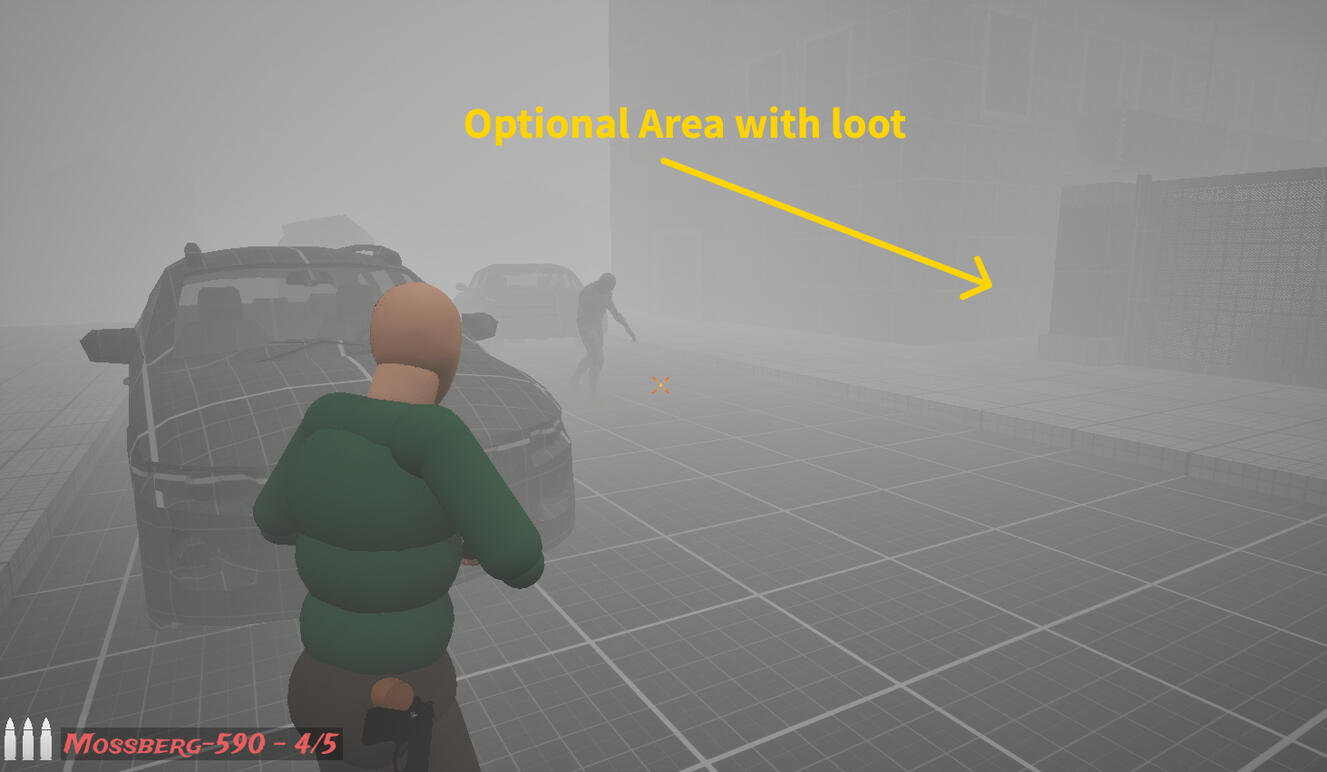
The last enemy can be found in an optional area of the level. It appears when the player decides to explore further and go after the loot that’s visible from the very beginning.The encounter itself is also optional, as the enemy only spawns once the player gets close to that area.
Step 14: Blockout - Hotel Interior
As I mentioned earlier, I intentionally skipped the hotel interior, the lobby, during the initial design phase because I knew there wouldn’t be much gameplay there.At this stage, I added everything that was missing: a reception desk, a note, and some loot. The main hotel entrance is locked, and nearby there are blocked stairs and two elevators that are out of order.
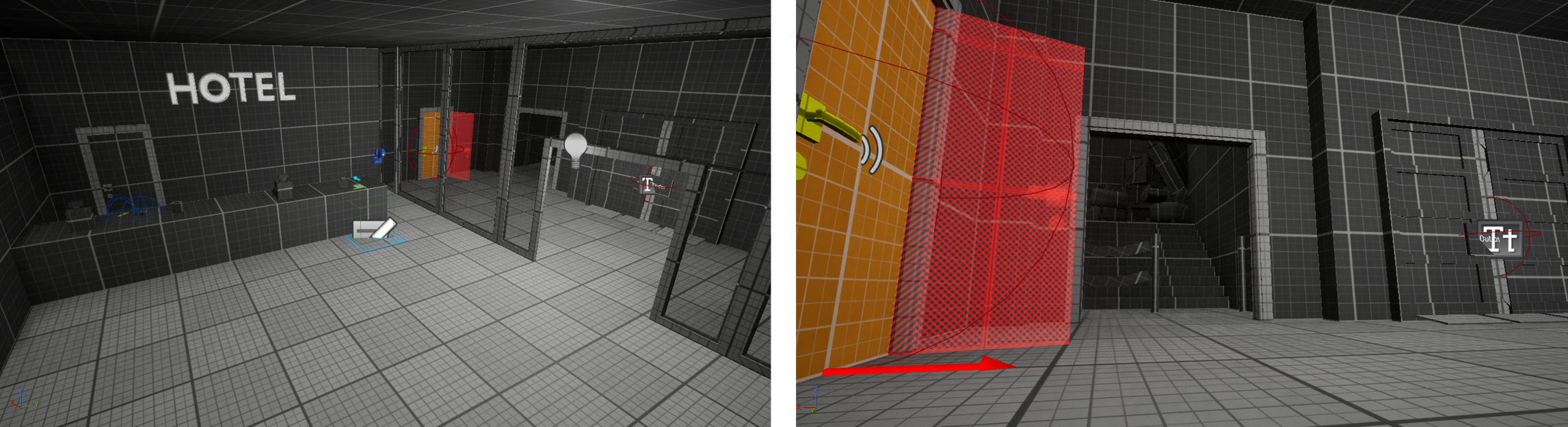
I wanted the player to feel that the key to the door is the only way to reach their objective.
Finished Level
That’s it! I hope the process itself was interesting for you, and maybe even taught you something along the way. I personally spent a lot of time building this level, gaining new experience. From the very beginning, I wanted this to be one of several well-documented and properly described levels. In the future, I plan to create even more of them, this time perhaps less focused on atmosphere and fear, and more on action!
I understand that my workflow might seem unusual at times, but that’s simply how I work, and I wanted to present it as it is. Level design is not only about predefined patterns and rigid workflows. In my process, I rely a lot on intuition and feeling. What matters most is the final result.
Looking for Opportunities as a Level Designer
[email protected] | Level Designer | Remote
If you like what I do and how I approach my work, and you’re looking for a Level Designer, feel free to reach out. I’d love to talk!
old mine camp (Blockout)
Unreal Engine 5 with AGLS
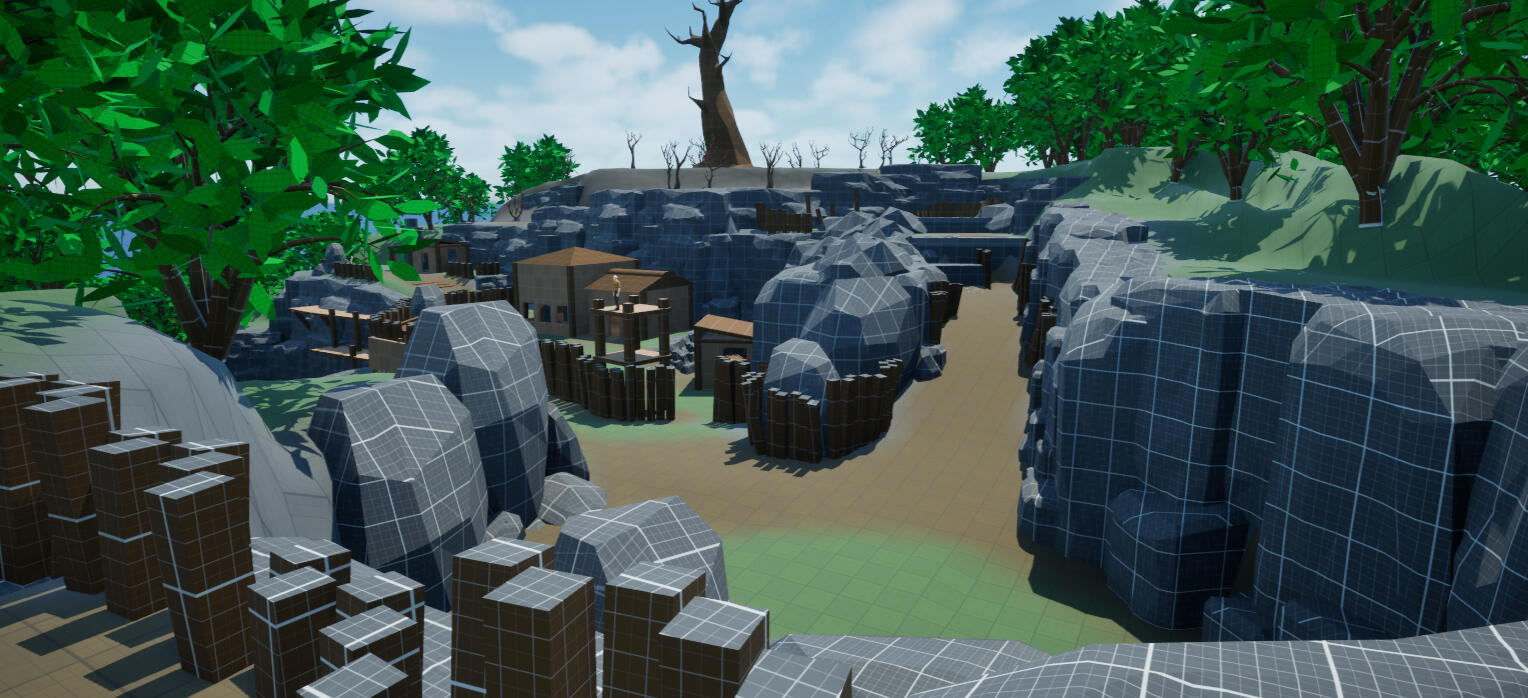
This level is currently work in progress but I can tell it is inspired by the Witcher series.
The level takes place in an abandoned mining settlement that people recently tried to restore to life. Once thriving, the place fell into decay after strange events began to unfold. Workers disappeared, and fear spread among those who stayed.
Check out the slideshow below:
The goal of the level is to explore the settlement, uncover what happened to its people, and face the evil lurking below. The environment combines open exploration with tense, confined spaces inside the mine, gradually building mystery and unease.
NEW LD
MORE ABOUT ME!
Filip Pogodziński - Level Designer
I’m a Level Designer with a background in game design. After gaining experience as a game designer, I realized that my true passion lies in creating immersive and meaningful game worlds. Today, I focus on designing levels that tell stories through space, atmosphere, and pacing - experiences that captivate players and stay with them long after the game ends.I’m also a lecturer who teaches future game developers the fundamentals of Unreal Engine and Level Design.
Days without Level design job:
Check out my games!
My small personal projects
Echo of the Depth
A small horror game about digging with a giant drill. Made in Unreal Engine 5.

Scare the crows
Scare off the evil crows! A small Halloween Project made in Unreal Engine 5.

University of Lower Silesia DSW
(02.2025 - now)
Lecturer
Teaching Level Design and Unreal Engine basics.

Mechano story
(03.2026 - now)
technical game designer
Contributed to an unannounced project using Unreal Engine 4.
Black Drakkar Games
(07.2025 - 10.2025)
level designer
Contributed to an unannounced project using Unreal Engine 5.
Hypnotic Ants
(05.2025 - 06.2025)
game designer
Contributed to an unannounced project using Unreal Engine 5.

Awaken Realms Digital
(08.2023 - 06.2024)
game designer
Dragon Eclipse (Unity)

Mousetrap Games
(09.2021-05.2023)
Game designer
Green Thumb, Cards Up, Dream Room (Unity)